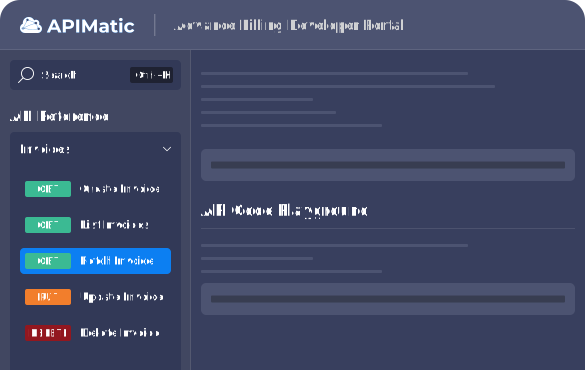
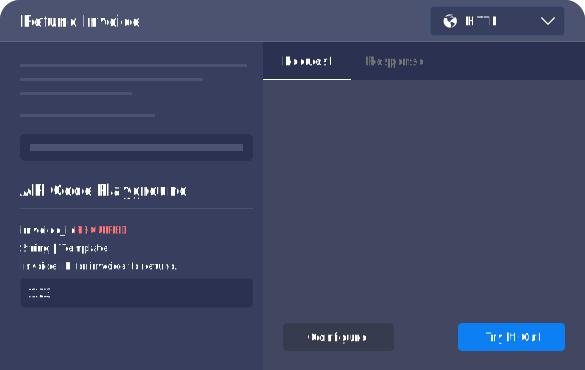
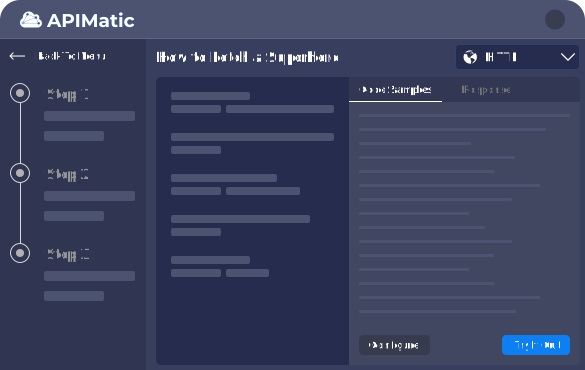
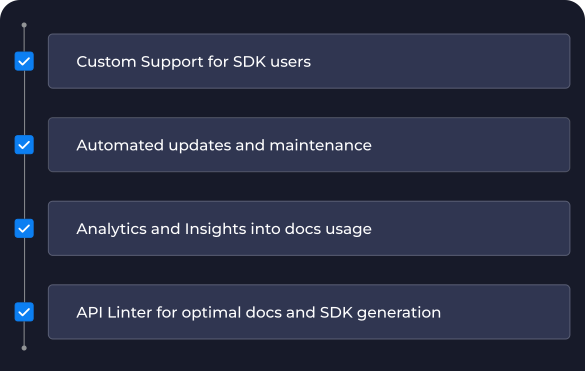
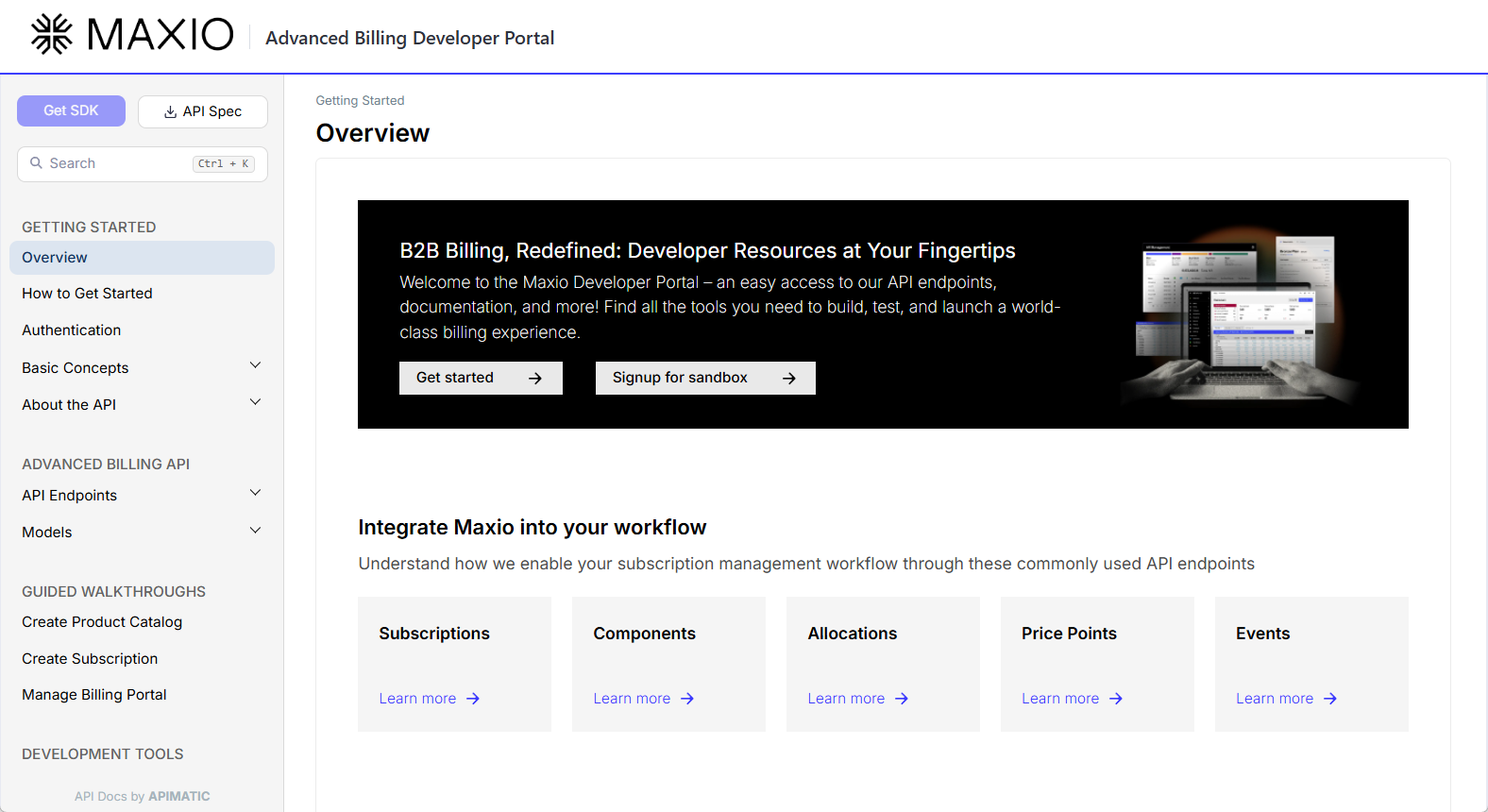
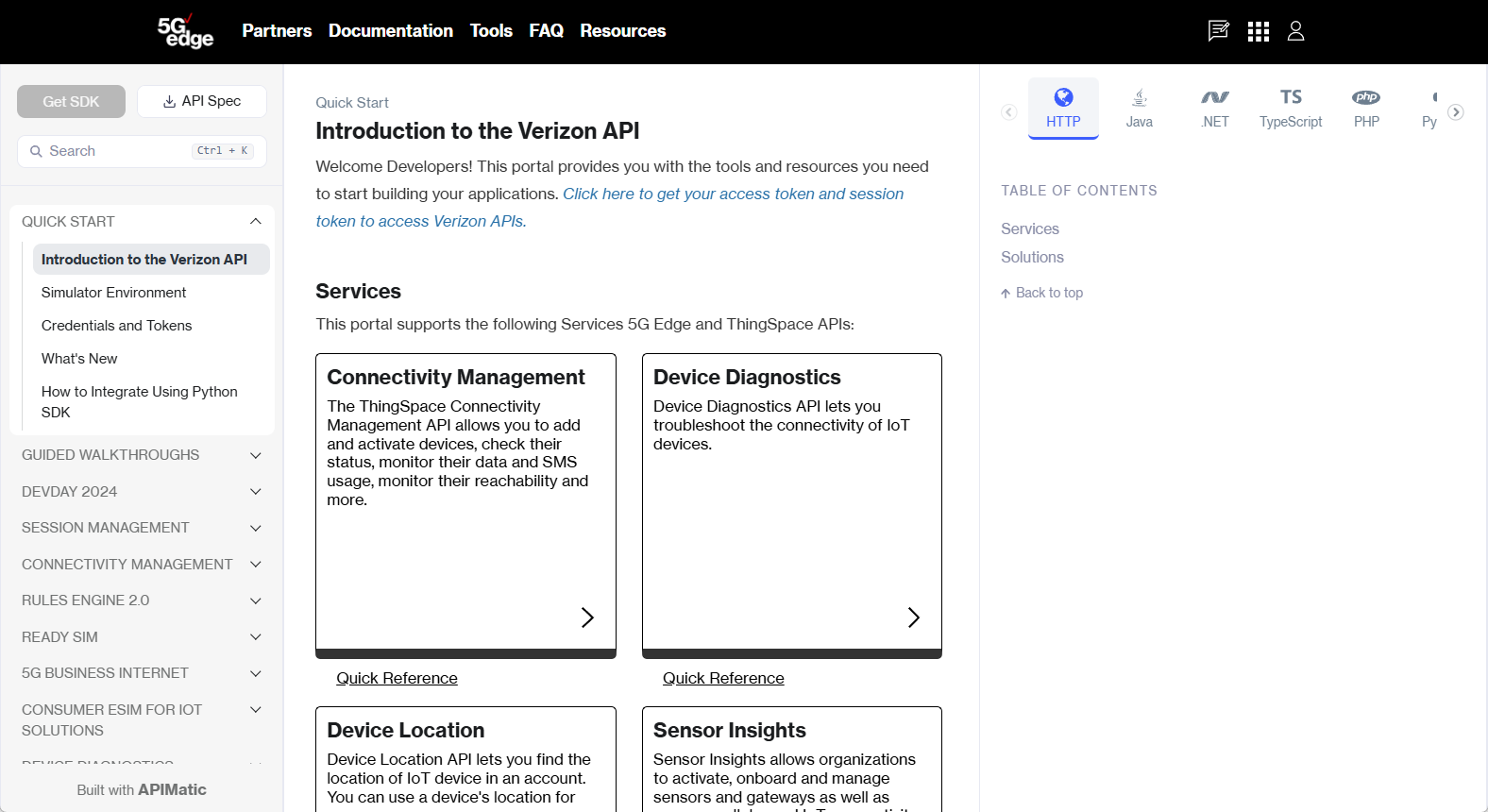
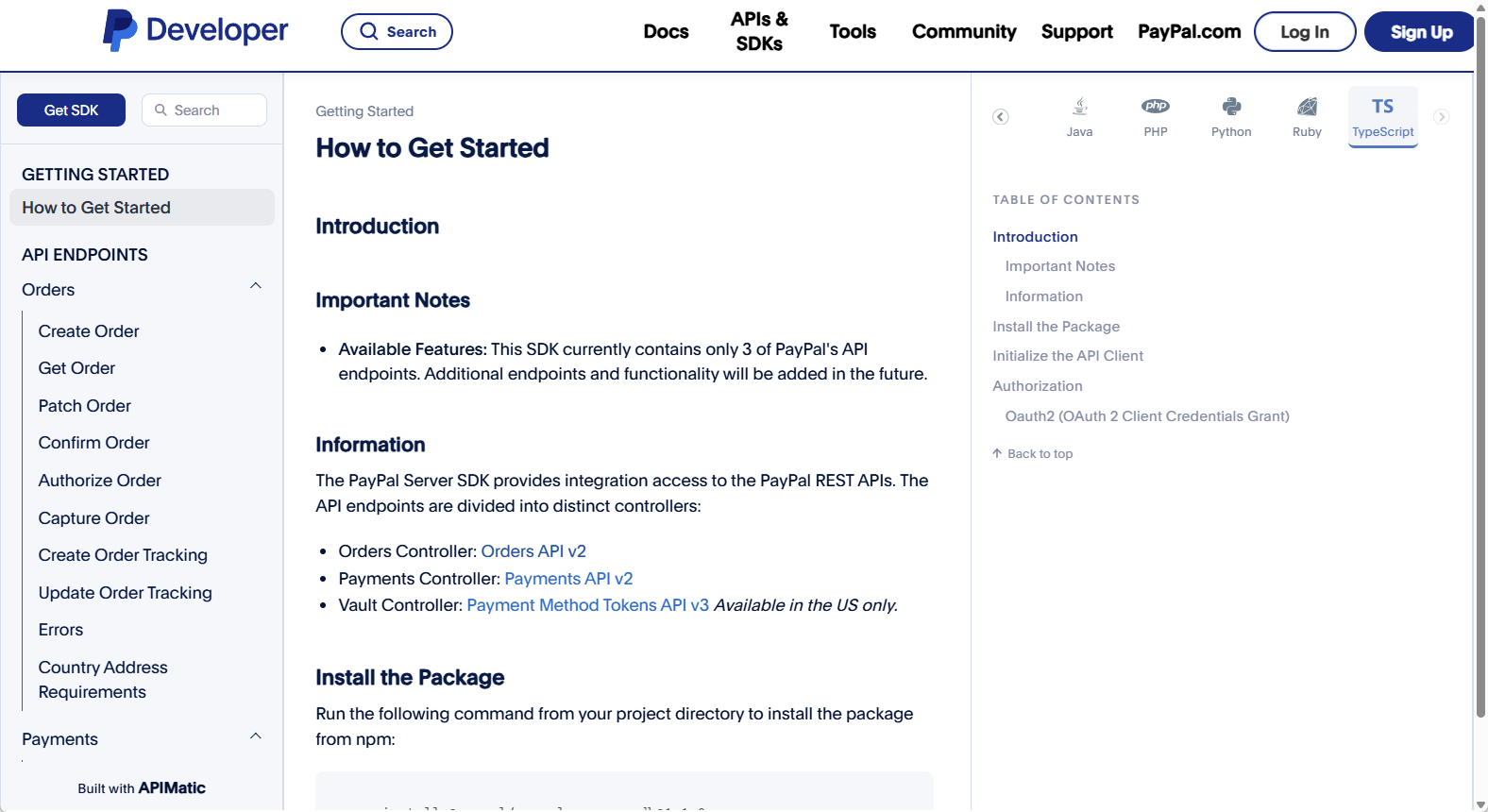
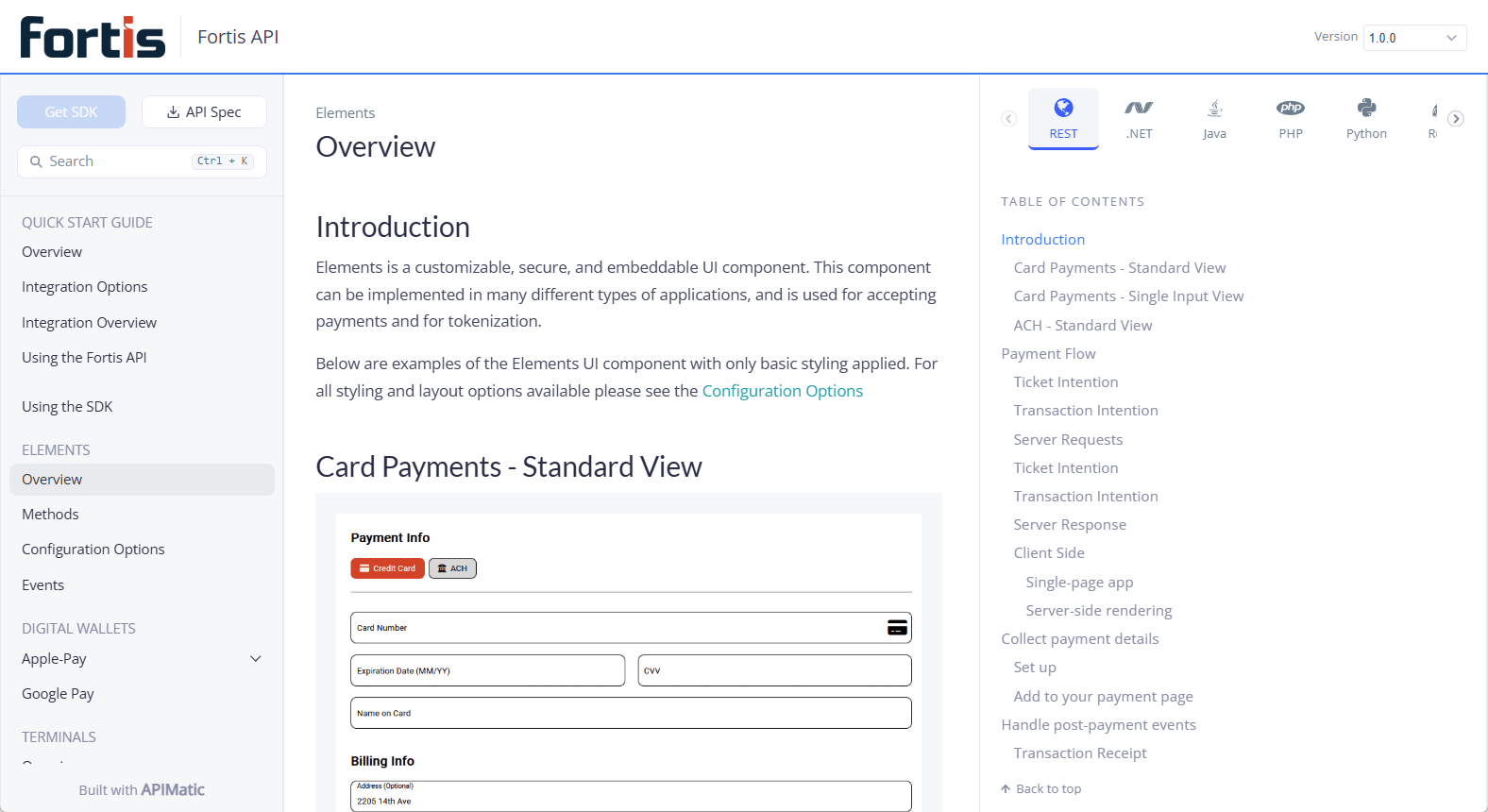
APIMatic turns your API spec into the surfaces modern consumers need: Context Plugins for AI coding tools, MCP servers for agents, production-grade SDKs, and developer portals — all generated deterministically from one source of truth
Teams shipping APIs for developers and agents run on APIMatic.
What do you want to build?
Hover a line and click to select
That's how much better coding agents perform when they have access to API Context. Read the case study →
Those numbers come from one change: using a Context Plugin, the agent builds against your real API contract, not a guess at it. That's what separates code that runs from an integration that's "production-ready."
Whether your consumers are building deterministic API integrations or orchestrating dynamically, APIMatic generates the tools they need from one spec, and keeps them updated as it evolves.
Context Plugins and MCP servers are the newest outputs of an engine that's generated production SDKs and API Developer Portals for years. Same deterministic core, same OpenAPI spec, now grounding your agents too.
// Maxio's TypeScript SDK is available as an npm package with
// support for Node.js 20+ and browser environments.
import { MaxioAdvancedBillingClient } from "@maxio-com/advanced-billing-sdk";
// Once configured, the SDK can be used to make authenticated API calls.
const client = new MaxioAdvancedBillingClient({
basicAuth: { username: "user", password: "pass" },
});
// SDK automatically handles serialization, API errors, validation,
// and type conversion (JSON to TypeScript types)
const subscriptions = await client.subscriptions.listSubscriptions({
page: 1,
perPage: 20,
});
// Type-safe access to response data with full IntelliSense support
console.log(subscriptions[0]?.subscription?.state);
// Maxio's Java SDK is available as a Maven package
import com.maxio.advancedbilling.AdvancedBillingClient;
import com.maxio.advancedbilling.authentication.BasicAuthModel;
import com.maxio.advancedbilling.controllers.SubscriptionsController;
import com.maxio.advancedbilling.models.ListSubscriptionsInput;
import com.maxio.advancedbilling.models.SubscriptionResponse;
import java.util.List;
// Once configured, the SDK can be used to authenticate API calls.
AdvancedBillingClient client = new AdvancedBillingClient.Builder()
.basicAuthCredentials(new BasicAuthModel.Builder("user", "pass")
.build()).build();
SubscriptionsController subscriptionsController =
client.getSubscriptionsController();
ListSubscriptionsInput listSubscriptionsInput =
new ListSubscriptionsInput.Builder().page(2).perPage(50).build();
// SDK automatically handles serialization, API errors, validation,
// and type conversion
List<SubscriptionResponse> result = subscriptionsController
.listSubscriptions(listSubscriptionsInput);
System.out.println(result);
# Maxio's Python SDK supports Python 3.10 and later.
from advancedbilling import AdvancedBillingClient
from advancedbilling.core import BasicAuthCredentials
# Once configured, the SDK can be used to make authenticated API calls.
client = AdvancedBillingClient(
basic_auth=BasicAuthCredentials(
username="user",
password="pass"
)
)
# SDK automatically handles serialization, API errors, validation,
# and type conversion (JSON to typed Python models)
result = client.subscriptions.list_subscriptions(
page=1,
per_page=20
)
for item in result:
if item.subscription:
print(item.subscription.state)
// Maxio's .NET SDK is available as a NuGet package
using MaxioAdvancedBilling;
using MaxioAdvancedBilling.Core.Authentication.Basic;
using MaxioAdvancedBilling.Requests.Subscriptions;
// Once configured, the SDK can be used to make authenticated API calls.
var client = new MaxioAdvancedBillingClient(
new HttpClient(),
new MaxioAdvancedBillingClientOptions
{
BasicAuth = new BasicAuthCredentials
{
Username = "user",
Password = "pass"
}
});
var subscriptions = client.Subscriptions;
// SDK automatically handles serialization, API errors, validation,
// and type conversion (JSON to C# models)
var result = await subscriptions.ListSubscriptions(
new ListSubscriptionsRequest
{
Page = 1,
PerPage = 20
});
// Type-safe access to response data with full IntelliSense support
Console.WriteLine(result[0].Subscription?.State?.Value);
<?php
use AdvancedBillingLib\Authentication\BasicAuthCredentialsBuilder;
use AdvancedBillingLib\AdvancedBillingClientBuilder;
// Initialize the client using the builder
$client = AdvancedBillingClientBuilder::init()
->basicAuthCredentials(
BasicAuthCredentialsBuilder::init('user', 'pass')
)
->build();
// Retrieve the Subscriptions controller from the client
$subscriptions = $client->getSubscriptionsController();
// Make the API call to list subscriptions
$response = $subscriptions->listSubscriptions([
'page' => 1,
'perPage' => 20,
]);
// Extract and access subscription data
$subscriptions = $response->getResult();
echo $subscriptions[0]->getSubscription()?->getState();
# Maxio's Ruby SDK is available as a gem and supports modern Ruby projects.
require 'advanced_billing'
include AdvancedBilling
# Once configured, the SDK can be used to make authenticated API calls.
client = Client.new(
basic_auth_credentials: BasicAuthCredentials.new(
username: 'user',
password: 'pass'
)
)
# The SDK automatically handles request serialization, response parsing,
# API errors, and data validation for you.
result = client.subscriptions.list_subscriptions(
page: 1,
per_page: 20
)
# Idiomatic Ruby: safe navigation & object access.
puts result.first&.subscription&.state
// Maxio's Go SDK is available as a Go module with
// support for Go-based server environments.
import (
"context"
"fmt"
"github.com/maxio-com/ab-golang-sdk"
"github.com/maxio-com/ab-golang-sdk/models"
)
// Once configured, the SDK can be used to authenticated API calls.
client := advancedbilling.NewClient(
advancedbilling.CreateConfiguration(
advancedbilling.WithBasicAuthCredentials(
advancedbilling.NewBasicAuthCredentials(
"user",
"pass",
),
),
),
)
subscriptionController := client.SubscriptionsController()
// The SDK automatically handles serialization, API error handling,
// validation, and type conversion (e.g., JSON to Go structs).
ctx := context.Background()
apiResponse, _ := subscriptionController.ListSubscriptions(ctx, advancedbilling.ListSubscriptionsInput{
Page: models.ToPointer(1),
PerPage: models.ToPointer(20),
})
// Type-safe access to response data with full IntelliSense support
fmt.Println(apiResponse.Data[0].Subscription.State)
// Type-safe model with nested objects and enums
const request: CreateSubscriptionRequest = {
subscription: {
productHandle: "basic-plan",
// Enum constants autocomplete every value the API documents
paymentCollectionMethod: CollectionMethod.Automatic,
// Nested customer object with validation
customerAttributes: {
firstName: "John",
lastName: "Doe",
email: "john@example.com",
},
// Typed values like Date prevent format errors
initialBillingAt: new Date(),
},
};
// SDK validates all types at compile-time and runtime
const result = await client.subscriptions.createSubscription({
body: request,
});
// Response is fully typed with IntelliSense support
if (result.subscription?.state === SubscriptionState.Active) {
console.log("Subscription activated successfully");
}
// Type-safe model with nested objects and enums
CreateSubscriptionRequest request = new CreateSubscriptionRequest.Builder(
new CreateSubscription.Builder()
// Enum ensures only valid states are used
.productHandle(ProductHandle.BasicPlan)
// Nested customer object with validation
.customerAttributes(new CustomerAttributes.Builder()
.name("John Doe")
.email("john@example.com")
.build())
// Typed values like Date prevents format errors
.initialBillingAt(new Date())
.build()
).build();
// SDK validates all types at compile-time and runtime
SubscriptionResponse result = subscriptionsController.createSubscription(request);
// Response is fully typed with IntelliSense support
if (result.getSubscription().getState() == SubscriptionState.Active) {
System.out.println("Subscription activated successfully");
}
# Construct request with enum and nested objects for strong
# typing and validation
request = CreateSubscriptionRequest(
subscription=CreateSubscription(
product_handle="basic-plan",
# Enum ensures only valid collection methods
payment_collection_method=CollectionMethod.AUTOMATIC,
customer_attributes=CustomerAttributes(
first_name="John",
last_name="Doe",
email="john@example.com",
),
# Typed datetime prevents format issues. It must carry a
# timezone, so the SDK never has to guess one.
initial_billing_at=datetime.now(timezone.utc),
)
)
# Same call on the async client: await client.subscriptions.create_subscription(...)
result = client.subscriptions.create_subscription(
body=request
)
# Response is a typed model with a real Enum, so no getattr() chains
if result.subscription and result.subscription.state == SubscriptionState.ACTIVE:
print("Subscription activated successfully")
// Type-safe model with nested objects and enums
using MaxioAdvancedBilling.Models;
using MaxioAdvancedBilling.Models.Enums;
using MaxioAdvancedBilling.Requests.Subscriptions;
CreateSubscriptionRequest body = new CreateSubscriptionRequest
{
Subscription = new CreateSubscription
{
// String literal mapped validated field on server
ProductHandle = "basic",
// Nested customer object with validation
CustomerAttributes = new CustomerAttributes
{
FirstName = "Joe",
LastName = "Blow",
Email = "joe@example.com"
},
// Typed values like DateTimeOffset prevent format errors
InitialBillingAt = DateTimeOffset.Now,
},
};
// SDK checks all types at compile-time, and the response at runtime
var result = await subscriptions.CreateSubscription(
new CreateSubscriptionOperationRequest { Body = body });
// Response is fully typed with IntelliSense support
if (result.Subscription?.State == SubscriptionState.Active)
{
Console.WriteLine("Subscription activated successfully");
}
// Type-safe model with nested objects and enums
$request = SubscriptionRequestBuilder::init(
SubscriptionBuilder::init()
// Enum ensures only valid states are used
->productHandle(ProductHandle::BasicPlan)
// Nested customer object with validation
->customerAttributes(
CustomerAttributesBuilder::init()
->name('John Doe')
->email('john@example.com')
->build()
)
// Typed values like Date prevent format errors
->initialBillingAt(new DateTime())
->build()
)->build();
// SDK validates all types at runtime (PHP lacks compile-time checks)
$response = $subscriptions->createSubscription($request);
// Response is fully typed with IDE autocompletion support
$subscription = $response->getResult()->getSubscription();
if ($subscription?->getState() === SubscriptionState::ACTIVE) {
echo "Subscription activated successfully" . PHP_EOL;
}
# Type-safe model with nested objects and enums
body = CreateSubscriptionRequest.new(
subscription: CreateSubscription.new(
# Enum ensures only valid states are used
product_handle: ProductHandle::BASIC_PLAN,
# Nested customer object with validation
customer_attributes: CustomerAttributes.new(
first_name: 'John',
last_name: 'Doe',
email: 'john@example.com'
),
# Typed values like Time prevent format errors
initial_billing_at: Time.now
)
)
# SDK validates all types when constructing request models and on API call
result = client.subscriptions.create_subscription(body: body)
# Response is fully typed and accessible with method calls
if result.subscription && result.subscription.state == SubscriptionState::ACTIVE
puts "Subscription activated successfully"
end
// Type-safe model with nested objects and enums
request := models.CreateSubscriptionRequest{
Subscription: models.CreateSubscription{
// Enum ensures only valid states are used
ProductHandle: models.ToPointer("Basic_Plan"),
// Nested customer object with validation
CustomerAttributes: &models.CustomerAttributes{
Name: models.ToPointer("John Doe"),
Email: models.ToPointer("john@example.com"),
},
// Typed values like Date prevents format errors
InitialBillingAt: &time.Time{},
},
}
// SDK validates all types at compile-time and runtime
apiResponse, _ := subscriptions.CreateSubscription(ctx, &request)
// Response is fully typed with IntelliSense support
subscriptionState := apiResponse.Data.Subscription.State
if *subscriptionState == models.SubscriptionState_ACTIVE {
fmt.Println("Subscription activated successfully")
}
// Maxio SDK demonstrates polymorphic payment methods. On API call,
// the SDK automatically deserializes based on discriminator field.
const result = await client.paymentProfiles.readPaymentProfile({
paymentProfileId,
});
const profile = result.paymentProfile;
// The developer can write type-safe code, thanks to SDK's support
// for discriminated unions and type-narrowing in TypeScript.
switch (profile.paymentType) {
case PaymentType.BankAccount:
// TypeScript knows this has bank account fields
console.log(profile.maskedBankAccountNumber);
break;
case PaymentType.CreditCard:
// TypeScript knows this has credit card fields
console.log(profile.maskedCardNumber);
break;
case PaymentType.PaypalAccount:
// TypeScript knows this has PayPal fields
console.log(profile.paypalEmail);
break;
case PaymentType.ApplePay:
// TypeScript knows this has Apple account fields
console.log(profile.firstName);
break;
default:
// profile is narrowed down to the type 'never'.
profile satisfies never;
}
// Maxio SDK demonstrates polymorphic payment methods. On API call,
// the SDK automatically deserializes based on discriminator field.
PaymentProfileResponse result =
paymentProfilesController.readPaymentProfile(id);
PaymentProfile profile = result.getPaymentProfile();
// The 'match' method handle each specific payment profile subtype
// without requiring explicit type checks or casting.
profile.match(new PaymentProfile.Cases<Void>() {
@Override
public Void bankAccountPaymentProfile(BankAccountPaymentProfile bankAccountProfile) {
System.out.println(bankAccountProfile.getMaskedBankAccountNumber());
return null;
}
@Override
public Void creditCardPaymentProfile(CreditCardPaymentProfile creditCardPaymentProfile) {
System.out.println(creditCardPaymentProfile.getMaskedCardNumber());
return null;
}
@Override
public Void paypalPaymentProfile(PaypalPaymentProfile paypalPaymentProfile) {
System.out.println(paypalPaymentProfile.getPaypalEmail());
return null;
}
@Override
public Void applePayPaymentProfile(ApplePayPaymentProfile applePayPaymentProfile) {
System.out.println(applePayPaymentProfile.getFirstName());
return null;
}
});
from typing_extensions import assert_never
# The Maxio SDK demonstrates polymorphic payment methods. On API call,
# the SDK automatically deserializes based on the discriminator field.
result = client.payment_profiles.read_payment_profile(payment_profile_id)
profile = result.payment_profile
# The developer can write type-safe logic using a match statement,
# thanks to the SDK's support for polymorphic models and discriminator-based deserialization.
match profile:
case BankAccountPaymentProfile():
# Python knows this object has bank account-specific fields
print(profile.masked_bank_account_number)
case CreditCardPaymentProfile():
# Python knows this object has credit card-specific fields
print(profile.masked_card_number)
case PaypalPaymentProfile():
# Python knows this object has PayPal-specific fields
print(profile.paypal_email)
case ApplePayPaymentProfile():
# Python knows this object has Apple Pay-specific fields
print(profile.first_name)
case _:
# Every payment type is handled. If the API adds a new one,
# mypy reports this line until you handle it.
assert_never(profile)
// Maxio SDK demonstrates polymorphic payment methods. On API call,
// the SDK automatically deserializes based on discriminator field.
var response = await paymentProfiles.ReadPaymentProfile(
new ReadPaymentProfileRequest { PaymentProfileId = id });
var paymentProfile = response.PaymentProfile;
// The 'TryGet' methods handle each specific payment profile subtype
// without requiring explicit type checks or casting.
if (paymentProfile.TryGetBankAccountPaymentProfile(out var bankAccount))
{
Console.WriteLine(bankAccount.MaskedBankAccountNumber);
}
else if (paymentProfile.TryGetCreditCardPaymentProfile(out var creditCard))
{
Console.WriteLine(creditCard.MaskedCardNumber);
}
else if (paymentProfile.TryGetPaypalPaymentProfile(out var paypal))
{
Console.WriteLine(paypal.PaypalEmail);
}
else if (paymentProfile.TryGetApplePayPaymentProfile(out var applePay))
{
Console.WriteLine(applePay.FirstName);
}
// Maxio SDK demonstrates polymorphic payment methods. On API call,
// the SDK automatically deserializes based on discriminator field.
$response = $paymentProfiles->readPaymentProfile($id);
$profile = $response->getResult()->getPaymentProfile();
// The developer can write type-safe code, thanks to SDK's support
// for polymorphic types and runtime type-checking in PHP.
if ($profile instanceof BankAccountAttributes) {
// PHP knows this has bank account fields
echo $profile->getMaskedBankAccountNumber() . PHP_EOL;
} elseif ($profile instanceof CreditCardAttributes) {
// PHP knows this has credit card fields
echo $profile->getMaskedCardNumber() . PHP_EOL;
} elseif ($profile instanceof PaypalAccountAttributes) {
// PHP knows this has PayPal fields
echo $profile->getPaypalEmail() . PHP_EOL;
} elseif ($profile instanceof ApplePayAttributes) {
// PHP knows this has Apple account fields
echo $profile->getFirstName() . PHP_EOL;
} else {
// $profile is of an unknown or unsupported type
}
# The Maxio Python SDK demonstrates polymorphic payment methods. On API call,
# the SDK automatically deserializes based on the discriminator field.
result = client.payment_profiles.read_payment_profile(id)
profile = result.payment_profile
# The developer can write type-safe logic using isinstance checks,
# thanks to the SDK's support for polymorphic models and discriminator-based deserialization.
case profile
when AdvancedBilling::BankAccountPaymentProfile
puts profile.masked_bank_account_number
when AdvancedBilling::CreditCardPaymentProfile
puts profile.masked_card_number
when AdvancedBilling::PaypalPaymentProfile
puts profile.paypal_email
when AdvancedBilling::ApplePayPaymentProfile
puts profile.first_name
else
# Unknown or unsupported payment profile type
puts 'Unknown payment profile type'
end
// Maxio SDK demonstrates polymorphic payment methods. On API call,
// the SDK automatically deserializes based on discriminator field.
apiResponse, _ := paymentProfiles.ReadPaymentProfile(ctx, id)
profile := apiResponse.Data.PaymentProfile
// The developer can write type-safe code, thanks to SDK's support
// for polymorphic types and type-narrowing in Go.
if value, ok := profile.AsBankAccountPaymentProfile(); ok {
// Go knows this has Bank Account Fields
fmt.Println(value.MaskedBankAccountNumber)
} else if value, ok := profile.AsCreditCardPaymentProfile(); ok {
// Go knows this has Credit Card Fields
fmt.Println(value.MaskedCardNumber)
} else if value, ok := profile.AsPaypalPaymentProfile(); ok {
// Go knows this has PayPal Payment Fields
fmt.Println(value.PaypalEmail)
} else if value, ok := profile.AsApplePayPaymentProfile(); ok {
// Go knows this has Apple Account Fields
fmt.Println(value.FirstName)
} else {
// profile is narrowed down to the type 'never'.
}
// Authentication configured once. The SDK fetches the OAuth token on the
// first call, caches it, and gets a new one shortly before it expires.
const client = new Client({
oauth2: {
clientId: "your_client_id",
clientSecret: "your_client_secret",
},
});
// SDK automatically applies authentication to all requests
// No need to manually handle tokens or headers
const order = await client.orders.createOrder({ body: orderRequest });
console.log("Order created:", order.id);
// Authentication configured once - SDK handles token refresh automatically
AdvancedBillingClient client = new AdvancedBillingClient.Builder()
.clientCredentialsAuth(new ClientCredentialsAuthModel.Builder(
"your_client_id",
"your_client_secret"
)
.oAuthTokenProvider((lastOAuthToken, credentialsManager) -> {
// Restore token from your DB or fetch for the first time.
OAuthToken oAuthToken = loadTokenFromDatabase();
return oAuthToken != null ? oAuthToken : credentialsManager.fetchToken();
})
.oAuthOnTokenUpdate(oAuthToken -> {
// Persist the token on refresh.
saveTokenToDatabase(oAuthToken);
})
.build())
.build();
// SDK automatically applies authentication to all requests
// No need to manually handle tokens or headers
Order result = orders.createOrder(orderRequest);
System.out.println("Order created: " + result.getId());
# Authentication configured once. The SDK fetches the OAuth token on the
# first call, caches it, and gets a new one shortly before it expires.
client = Client(
client_credentials_auth=ClientCredentials(
client_id="your_client_id",
client_secret="your_client_secret",
)
)
# SDK automatically applies authentication to all requests
# No need to manually handle tokens or headers
order = client.orders.create_order(body=order_request)
print(f"Order created: {order.id}")
// Authentication configured once. The SDK fetches the OAuth token on the
// first call, caches it, and gets a new one shortly before it expires.
var client = new PayPalServerSdkClient(
new HttpClient(),
new PayPalServerSdkClientOptions
{
Oauth2 = new OAuth2ClientCredentials
{
ClientId = "your_client_id",
ClientSecret = "your_client_secret"
}
});
// SDK automatically applies authentication to all requests
// No need to manually handle tokens or headers
var order = await client.Orders.CreateOrder(
new CreateOrderRequest { Body = orderRequest });
Console.WriteLine($"Order created: {order.Id}");
// Authentication configured once - SDK handles token refresh automatically
$client = AdvancedBillingClientBuilder::init()
->oAuthClientCredentials(
OAuthClientCredentialsBuilder::init(
'your_client_id',
'your_client_secret'
)
->oAuthTokenProvider(
function (?OAuthToken $lastOAuthToken, ClientCredentialsAuthManager $authManager): OAuthToken {
// Restore a token from your DB or fetch for the first time.
return $this->loadTokenFromDatabase() ?? $authManager->fetchToken();
}
)
)
->build();
// SDK automatically applies authentication to all requests
// No need to manually handle tokens or headers
$response = $orders->createOrder($orderRequest);
echo "Order created: " . $response->getResult()->getId() . PHP_EOL;
# Authentication configured once - SDK handles token refresh automatically
client = Client.new(
client_credentials_auth_credentials: ClientCredentialsAuthCredentials.new(
o_auth_client_id: 'your_client_id',
o_auth_client_secret: 'your_client_secret',
o_auth_token_provider: proc do |last_oauth_token, auth_manager|
# Restore a token from your DB or fetch for the first time.
token = load_token_from_database
token.nil? ? auth_manager.fetch_token : token
end,
o_auth_on_token_update: proc do |token|
# Persist the token on refresh.
save_token_to_database(token)
end
)
)
# SDK automatically applies authentication to all requests
# No need to manually handle tokens or headers
result = client.orders.createOrder(order_request)
puts "Order created: #{result.id}"
ctx := context.Background()
client := mdnotesccg.NewClient(
mdnotesccg.CreateConfigurationFromEnvironment(
mdnotesccg.WithClientCredentialsAuthCredentials(
mdnotesccg.NewClientCredentialsAuthCredentials(
"your_client_id",
"your_client_secret",
).
WithOAuthTokenProvider(func(
lastOAuthToken models.OAuthToken,
authManager mdnotesccg.ClientCredentialsAuthManager,
) models.OAuthToken {
// Restore token from your DB or fetch for the first time.
token := LoadTokenFromDatabase()
if token != nil {
return token
}
token, _ = authManager.FetchToken(ctx)
return token
}).
WithOAuthOnTokenUpdate(func(token models.OAuthToken) {
// Persist the token on refresh.
SaveTokenToDatabase(token)
}),
),
),
)
// SDK automatically applies authentication to all requests
// No need to manually handle tokens or headers
apiResponse, _ := orders.CreateOrder(ctx, orderRequest)
fmt.Println(apiResponse.Data.Id)
// Request prepared using plain-old JavaScript object and types
const request: CreateInvoiceRequest = {
invoice: {
lineItems: [{ title: "Consulting", quantity: 10, unitPrice: "150.00" }],
},
};
// SDK handles JSON serialization transparently for JSON APIs
const { invoice } = await client.invoices.createInvoice({
subscriptionId,
body: request,
});
// Next, we upload a file loaded as a Node.js stream. There is no
// wrapper class: pass the stream as is, or add a name and media type.
const invoiceFile: FileData = {
data: createReadStream("./resources/invoice.pdf"),
fileName: "invoice.pdf",
contentType: "application/pdf",
};
// SDK handles multipart form data automatically for file upload APIs
const uploadResult = await client.invoices.uploadInvoiceDocument({
uid: invoice.uid,
file: invoiceFile,
});
console.log("File uploaded:", uploadResult.success);
// Request prepared using plain-old JavaScript object and types
CreateInvoiceRequest request = new CreateInvoiceRequest.Builder(
new CreateInvoice.Builder()
.lineItems(Arrays.asList(
new CreateInvoiceItem.Builder()
.title("Consulting")
.quantity(10)
.unitPrice("150.00")
.build()
))
.build()
)
.build();
// SDK handles JSON serialization transparently for JSON APIs
InvoiceResponse result = invoices.createInvoice(request);
Invoice invoice = result.getInvoice();
// Next, we upload a file loaded as a Java file
FileWrapper invoiceFile = new FileWrapper(new File("./resources/invoice.pdf"));
// SDK handles multipart form data automatically for file upload APIs
FileUpload uploadResult = invoices.uploadInvoiceDocument(invoice.getUid(), invoiceFile);
System.out.println("File uploaded: " + uploadResult.getSuccess());
# Prepare the request as a typed model
# (a plain dict with the same keys works too)
request = CreateInvoiceRequest(
invoice=CreateInvoice(
line_items=[
CreateInvoiceItem(
title="A Product",
quantity=12,
unit_price="150.00"
)
]
)
)
# SDK handles JSON serialization transparently for JSON APIs
invoice = client.invoices.create_invoice(subscription_id, body=request).invoice
# Pass the file path. The SDK opens the file, streams it, and closes it,
# so the whole file is never loaded into memory.
invoice_file = NamedFile(Path("./resources/invoice.pdf"), media_type="application/pdf")
# SDK handles multipart form data automatically for file upload APIs
upload_result = client.invoices.upload_invoice_document(invoice.uid, invoice_file)
print(f"File uploaded: {upload_result.success}")
// Request prepared using plain-old C# object and types
var request = new CreateInvoiceRequest
{
Invoice = new CreateInvoice
{
LineItems = new[]
{
new CreateInvoiceItem
{
Title = "Consulting",
Quantity = 10,
UnitPrice = "150.00"
}
}
}
};
// SDK handles JSON serialization transparently for JSON APIs
var response = await invoices.CreateInvoice(
new CreateInvoiceOperationRequest
{
SubscriptionId = subscriptionId,
Body = request
});
var invoice = response.Invoice;
// Next, we upload a file loaded as a stream
using BinaryContent file = File.OpenRead("./resources/invoice.pdf");
// SDK handles multipart form data automatically for file upload APIs
var uploadResult = await invoices.SendFile(
new SendFileRequest { Uid = invoice.Uid, File = file });
Console.WriteLine($"File uploaded: {uploadResult.Status}");
// Request prepared using plain-old PHP model builders and types
$createInvoiceRequest = InvoiceRequestBuilder::init(
InvoiceBuilder::init()
->lineItems([
InvoiceLineItemBuilder::init()
->title("Consulting")
->quantity(10)
->unitPrice("150.00")
->build()
])
->build()
)->build();
// SDK handles JSON serialization transparently for JSON APIs
$invoiceResponse = $invoices->createInvoice($createInvoiceRequest);
$invoice = $invoiceResponse->getResult();
// Next, we upload a file loaded from disk
$invoiceFile = FileWrapper::createFromPath('./resources/invoice.pdf');
// SDK handles multipart form data automatically for file upload APIs
$uploadResult = $invoices->uploadInvoiceDocument(
$invoice->getUid(),
$invoiceFile
);
echo "File uploaded: " . $uploadResult->isSuccess() . PHP_EOL;
# Prepare request using plain Ruby object
request = CreateInvoiceRequest.new(
invoice: CreateInvoice.new(
line_items: [
CreateInvoiceItem.new(
title: 'A Product',
quantity: 12,
unit_price: '150.00'
)
]
)
)
# SDK handles JSON serialization transparently for JSON APIs
invoice = client.invoices.create_invoice(request)
# Load file as an IO stream (used for multipart uploads)
File.open('./resources/invoice.pdf', 'rb') do |file|
invoice_file = FileWrapper.new(file, content_type: 'application/pdf')
# SDK handles multipart form data automatically for file upload APIs
upload_result = invoices.upload_invoice_document(invoice.uid, invoice_file)
puts "File uploaded: #{upload_result.success}"
end
// Request preparing
request := models.CreateInvoiceRequest{
Invoice: models.CreateInvoice{
LineItems: []models.CreateInvoiceItem{
models.CreateInvoiceItem{
Title: models.ToPointer("Consulting"),
Quantity: models.ToPointer(
models.CreateInvoiceItemQuantityContainer.FromPrecision(10)),
UnitPrice: models.ToPointer(models.
CreateInvoiceItemUnitPriceContainer.FromString("150.00")),
},
},
},
}
invoices := client.InvoicesController()
// SDK handles JSON serialization transparently for JSON APIs
apiResponse, _ := invoices.CreateInvoice(ctx, 0, &request)
// Next, we upload a file loaded as a Node.js stream
invoiceFile, errFile := models.GetFile("./resources/invoice.pdf")
if errFile != nil { fmt.Println(errFile) }
// SDK handles multipart form data automatically for file upload APIs
uploadApiResponse, _ := invoices.UploadInvoiceDocument((ctx,
apiResponse.Data.Invoice.Uid, invoiceFile)
fmt.Println("File uploaded:%v", uploadApiResponse.Data.Success)
const client = new Client({
// Configure automatic retries for failed requests
retry: {
// Timeout for each attempt, in milliseconds
timeout: 30_000,
maxRetries: 3,
delay: 1_000,
backoffFactor: 2,
},
});
try {
// SDK automatically retries a failed request when there is a network
// failure or timeout, a server error (500, 502, 503, 504),
// rate limiting (429) or a request timeout (408).
// It also waits for the time a Retry-After header asks for.
const order = await client.orders.getOrder({ id: "ORDER_ID" });
console.log("Order retrieved:", order.status);
} catch (error) {
// SDK supports structured error handling for API errors
if (error instanceof ApiError) {
console.error("API Error:", error.status);
}
}
Client client = new Client.Builder()
// Configure automatic retries for failed requests
.httpClientConfig(configBuilder -> configBuilder
.numberOfRetries(3) // sets number of retries
.retryInterval(1)
.backOffFactor(2)
).build();
try {
// SDK automatically retries failed requests when there is network
// failure, server error (5XX), rate limiting (429) or timeout (408).
Order result = orders.getOrder("ORDER_ID");
System.out.println("Order retrieved: "+ result.getStatus());
}
catch (ApiException e){
System.out.println("API Error: " + e.getMessage());
}
client = Client(
# Timeout for each attempt, in seconds
timeout=30.0,
# Configure automatic retries for failed requests
retry_options=RetryOptions(
max_retries=3,
backoff_factor=2.0,
),
)
try:
# SDK automatically retries a failed request when there is a network
# failure or timeout, a server error (500, 502, 503, 504),
# rate limiting (429) or a request timeout (408).
# It also waits for the time a Retry-After header asks for.
order = client.orders.get_order("ORDER_ID")
print(f"Order retrieved: {order.status}")
except ApiError as e:
# SDK supports structured error handling for API errors
print(f"API Error: {e.status_code}")
var client = new PayPalServerSdkClient(
new HttpClient(),
new PayPalServerSdkClientOptions
{
// Configure automatic retries for failed requests
Retry = RetryOptions.Default() with
{
// Timeout for each attempt
Timeout = TimeSpan.FromSeconds(30),
MaxRetries = 3,
Delay = TimeSpan.FromSeconds(1),
BackOffFactor = 2
}
});
try
{
// SDK automatically retries a failed request when there is a network
// failure or timeout, a server error (500, 502, 503, 504),
// rate limiting (429) or a request timeout (408).
// It also waits for the time a Retry-After header asks for.
var result = await client.Orders.GetOrder(
new GetOrderRequest { Id = "ORDER_ID" });
Console.WriteLine($"Order retrieved: {result.Status?.Value}");
}
catch (ApiException error)
{
// SDK supports structured error handling for API errors
Console.Error.WriteLine($"API Error: {(int)error.StatusCode}");
}
// Configure the client with retry behavior
$client = AdvancedBillingClientBuilder::init()
// Configure automatic retries for failed requests
->enableRetries(true)
->retryOnTimeout(true)
->numberOfRetries(3)
->retryInterval(1)
->backOffFactor(2)
->build();
try {
// SDK automatically retries failed requests when there is network
// failure, server error (5XX), rate limiting (429) or timeout (408).
$response = $orders->getOrder("ORDER_ID");
echo "Order retrieved: " . $response->getResult()->getStatus() . PHP_EOL;
} catch (ApiException $error) {
// SDK supports structured error handling for API errors
echo "API Error: " . $error->getStatusCode() . PHP_EOL;
}
client = Client.new(
# Configure automatic retries for failed requests
timeout: 30,
max_retries: 3,
retry_interval: 1,
backoff_factor: 2,
)
begin
# SDK automatically retries failed requests when there is network
# failure, server error (5XX), rate limiting (429) or timeout (408).
order = client.orders.get_order("ORDER_ID")
puts "Order retrieved: #{order.status}"
rescue APIException => e
# SDK supports structured error handling for API errors
puts "API Error: #{e.response_code}"
end
client := advancedbilling.NewClient(
advancedbilling.CreateConfiguration(
advancedbilling.WithHttpConfiguration(
advancedbilling.CreateHttpConfiguration(
// Configure automatic retries for failed requests
advancedbilling.WithRetryConfiguration(
advancedbilling.CreateRetryConfiguration(
advancedbilling.WithRetryOnTimeout(true),
advancedbilling.WithRetryInterval(1),
advancedbilling.WithBackoffFactor(2),
),
),
),
),
),
)
// SDK automatically retries failed requests when there is network
// failure, server error (5XX), rate limiting (429) or timeout (408).
apiResponse, err := orders.GetOrder("ORDER_ID")
if err != nil {
// SDK supports structured error handling for API errors
if apiErr, ok := err.(https.ApiError); ok {
log.Fatalf("API Error:%v", apiErr.StatusCode)
}
} else {
// Printing the result and response
fmt.Printf("Order retrieved:%v", apiResponse.Response.StatusCode)
}
// SDK makes pagination effortless with built-in iteration.
const paginatedUserList = users.listAll({
page: 1,
perPage: 50,
});
// Simple pagination - iterate through all items
for await (const user of paginatedUserList) {
console.log("Process user:", user.name);
}
// Alternative: Process page-by-page
for await (const page of paginatedUserList.pages) {
for (const user of page.items) {
console.log("Process user:", item.name);
}
// Access pagination metadata
console.log("Current page:" + page.pageNumber);
console.log("Response headers", page.headers);
}
// SDK makes pagination effortless with built-in iteration.
PagedFlux<User, PagedResponse<User, Users>> paginatedUserList =
usersController.listAllAsync(1, 50);
// Simple pagination - iterate through all items
paginatedUserList.subscribe(
user -> System.out.println("Process user: " + user.getName()),
error -> error.printStackTrace()
);
// Alternative: Process page-by-page
paginatedUserList.pages().subscribe(
page -> {
pagedResponse.getItems().forEach(user ->
System.out.println("Process user: " + user.getName());
// Access pagination metadata
System.out.println("Current page: " + page.getPageNumber());
System.out.println("Response headers: " + page.getHeaders());
},
error -> error.printStackTrace()
);
# SDK makes pagination effortless with built-in iteration.
paginated_user_list = client.users.list_all(page=1, per_page=50)
# Simple pagination - iterate through all items across pages
for user in paginated_user_list:
print(f"Process user: {user.name}")
# Alternative: iterate page-by-page
for page in paginated_user_list.pages():
for user in page.items():
print(f"Process user: {user.name}")
# Access pagination metadata
print(f"Current page: {page.page_number}")
print(f"Response headers: {page.headers}")
// SDK makes pagination effortless with built-in iteration.
var paginatedUserList = users.ListUsers(
new ListUsersRequest
{
Page = 1,
PerPage = 20
});
// Simple pagination - iterate through all items
await foreach (var user in paginatedUserList)
{
Console.WriteLine($"Process user: {user.Name}");
}
// Alternative: Process page-by-page
await foreach (var page in paginatedUserList.AsPages())
{
foreach (var user in page.Data ?? [])
{
Console.WriteLine($"Process user: {user.Name}");
}
// Access pagination metadata
Console.WriteLine($"Next page: {page.Links?.Next}");
}
$paginatedUserList = $users->listUsers([
'page' => 1,
'per_page' => 50,
]);
// Simple pagination - iterate through all items
foreach ($paginatedUserList->items() as $user) {
echo "Process user: " . $user->getName() . PHP_EOL;
}
// Alternative: Process page-by-page
foreach ($paginatedUserList->pages() as $page) {
foreach ($page->getItems() as $user) {
echo "Process user: " . $user->getName() . PHP_EOL;
}
// Access pagination metadata
echo "Current page: " . $page->getPageNumber() . PHP_EOL;
echo "Response headers: ";
print_r($page->getHeaders());
}
# SDK makes pagination effortless with built-in iteration.
paginated_user_list = client.users.list_all(page: 1, per_page: 50)
# Simple pagination - iterate through all items
paginated_user_list.each do |user|
puts "Process user: #{user.name}"
end
# Alternative: Process page-by-page
paginated_user_list.pages.each do |page|
page.items.each do |user|
puts "Process user: #{user.name}"
end
# Access pagination metadata
puts "Current page: #{page.page_number}"
puts "Response headers: #{page.headers.inspect}"
end
// SDK makes pagination effortless with built-in iteration.
paginatedUserList, _ := users.ListUsers(1, 50)
// Simple pagination - iterate through all items
for _, user := range paginatedUserList.Items {
fmt.Printf("Process user:%v\n", user.Name)
}
// Alternative: Process page-by-page
for _, page := range paginatedUserList.Pages {
for _, user := range page.Items {
fmt.Printf("Process user:%v\n", user.Name)
}
// Access pagination metadata
fmt.Println("Current page:", page.PageNumber)
fmt.Println("Response headers:", page.Headers)
}
Idiomatic SDKs in 7+ languages: Java, Python, TypeScript, Ruby, C#, PHP, and Go. Generated from your spec, no manual work.
// Maxio's TypeScript SDK is available as an npm package with
// support for Node.js 20+ and browser environments.
import { MaxioAdvancedBillingClient } from "@maxio-com/advanced-billing-sdk";
// Once configured, the SDK can be used to make authenticated API calls.
const client = new MaxioAdvancedBillingClient({
basicAuth: { username: "user", password: "pass" },
});
// SDK automatically handles serialization, API errors, validation,
// and type conversion (JSON to TypeScript types)
const subscriptions = await client.subscriptions.listSubscriptions({
page: 1,
perPage: 20,
});
// Type-safe access to response data with full IntelliSense support
console.log(subscriptions[0]?.subscription?.state);
// Maxio's Java SDK is available as a Maven package
import com.maxio.advancedbilling.AdvancedBillingClient;
import com.maxio.advancedbilling.authentication.BasicAuthModel;
import com.maxio.advancedbilling.controllers.SubscriptionsController;
import com.maxio.advancedbilling.models.ListSubscriptionsInput;
import com.maxio.advancedbilling.models.SubscriptionResponse;
import java.util.List;
// Once configured, the SDK can be used to authenticate API calls.
AdvancedBillingClient client = new AdvancedBillingClient.Builder()
.basicAuthCredentials(new BasicAuthModel.Builder("user", "pass")
.build()).build();
SubscriptionsController subscriptionsController =
client.getSubscriptionsController();
ListSubscriptionsInput listSubscriptionsInput =
new ListSubscriptionsInput.Builder().page(2).perPage(50).build();
// SDK automatically handles serialization, API errors, validation,
// and type conversion
List<SubscriptionResponse> result = subscriptionsController
.listSubscriptions(listSubscriptionsInput);
System.out.println(result);
# Maxio's Python SDK supports Python 3.10 and later.
from advancedbilling import AdvancedBillingClient
from advancedbilling.core import BasicAuthCredentials
# Once configured, the SDK can be used to make authenticated API calls.
client = AdvancedBillingClient(
basic_auth=BasicAuthCredentials(
username="user",
password="pass"
)
)
# SDK automatically handles serialization, API errors, validation,
# and type conversion (JSON to typed Python models)
result = client.subscriptions.list_subscriptions(
page=1,
per_page=20
)
for item in result:
if item.subscription:
print(item.subscription.state)
// Maxio's .NET SDK is available as a NuGet package
using MaxioAdvancedBilling;
using MaxioAdvancedBilling.Core.Authentication.Basic;
using MaxioAdvancedBilling.Requests.Subscriptions;
// Once configured, the SDK can be used to make authenticated API calls.
var client = new MaxioAdvancedBillingClient(
new HttpClient(),
new MaxioAdvancedBillingClientOptions
{
BasicAuth = new BasicAuthCredentials
{
Username = "user",
Password = "pass"
}
});
var subscriptions = client.Subscriptions;
// SDK automatically handles serialization, API errors, validation,
// and type conversion (JSON to C# models)
var result = await subscriptions.ListSubscriptions(
new ListSubscriptionsRequest
{
Page = 1,
PerPage = 20
});
// Type-safe access to response data with full IntelliSense support
Console.WriteLine(result[0].Subscription?.State?.Value);
<?php
use AdvancedBillingLib\Authentication\BasicAuthCredentialsBuilder;
use AdvancedBillingLib\AdvancedBillingClientBuilder;
// Initialize the client using the builder
$client = AdvancedBillingClientBuilder::init()
->basicAuthCredentials(
BasicAuthCredentialsBuilder::init('user', 'pass')
)
->build();
// Retrieve the Subscriptions controller from the client
$subscriptions = $client->getSubscriptionsController();
// Make the API call to list subscriptions
$response = $subscriptions->listSubscriptions([
'page' => 1,
'perPage' => 20,
]);
// Extract and access subscription data
$subscriptions = $response->getResult();
echo $subscriptions[0]->getSubscription()?->getState();
# Maxio's Ruby SDK is available as a gem and supports modern Ruby projects.
require 'advanced_billing'
include AdvancedBilling
# Once configured, the SDK can be used to make authenticated API calls.
client = Client.new(
basic_auth_credentials: BasicAuthCredentials.new(
username: 'user',
password: 'pass'
)
)
# The SDK automatically handles request serialization, response parsing,
# API errors, and data validation for you.
result = client.subscriptions.list_subscriptions(
page: 1,
per_page: 20
)
# Idiomatic Ruby: safe navigation & object access.
puts result.first&.subscription&.state
// Maxio's Go SDK is available as a Go module with
// support for Go-based server environments.
import (
"context"
"fmt"
"github.com/maxio-com/ab-golang-sdk"
"github.com/maxio-com/ab-golang-sdk/models"
)
// Once configured, the SDK can be used to authenticated API calls.
client := advancedbilling.NewClient(
advancedbilling.CreateConfiguration(
advancedbilling.WithBasicAuthCredentials(
advancedbilling.NewBasicAuthCredentials(
"user",
"pass",
),
),
),
)
subscriptionController := client.SubscriptionsController()
// The SDK automatically handles serialization, API error handling,
// validation, and type conversion (e.g., JSON to Go structs).
ctx := context.Background()
apiResponse, _ := subscriptionController.ListSubscriptions(ctx, advancedbilling.ListSubscriptionsInput{
Page: models.ToPointer(1),
PerPage: models.ToPointer(20),
})
// Type-safe access to response data with full IntelliSense support
fmt.Println(apiResponse.Data[0].Subscription.State)
Catch bugs early with type-safe SDKs across languages.
// Type-safe model with nested objects and enums
const request: CreateSubscriptionRequest = {
subscription: {
productHandle: "basic-plan",
// Enum constants autocomplete every value the API documents
paymentCollectionMethod: CollectionMethod.Automatic,
// Nested customer object with validation
customerAttributes: {
firstName: "John",
lastName: "Doe",
email: "john@example.com",
},
// Typed values like Date prevent format errors
initialBillingAt: new Date(),
},
};
// SDK validates all types at compile-time and runtime
const result = await client.subscriptions.createSubscription({
body: request,
});
// Response is fully typed with IntelliSense support
if (result.subscription?.state === SubscriptionState.Active) {
console.log("Subscription activated successfully");
}
// Type-safe model with nested objects and enums
CreateSubscriptionRequest request = new CreateSubscriptionRequest.Builder(
new CreateSubscription.Builder()
// Enum ensures only valid states are used
.productHandle(ProductHandle.BasicPlan)
// Nested customer object with validation
.customerAttributes(new CustomerAttributes.Builder()
.name("John Doe")
.email("john@example.com")
.build())
// Typed values like Date prevents format errors
.initialBillingAt(new Date())
.build()
).build();
// SDK validates all types at compile-time and runtime
SubscriptionResponse result = subscriptionsController.createSubscription(request);
// Response is fully typed with IntelliSense support
if (result.getSubscription().getState() == SubscriptionState.Active) {
System.out.println("Subscription activated successfully");
}
# Construct request with enum and nested objects for strong
# typing and validation
request = CreateSubscriptionRequest(
subscription=CreateSubscription(
product_handle="basic-plan",
# Enum ensures only valid collection methods
payment_collection_method=CollectionMethod.AUTOMATIC,
customer_attributes=CustomerAttributes(
first_name="John",
last_name="Doe",
email="john@example.com",
),
# Typed datetime prevents format issues. It must carry a
# timezone, so the SDK never has to guess one.
initial_billing_at=datetime.now(timezone.utc),
)
)
# Same call on the async client: await client.subscriptions.create_subscription(...)
result = client.subscriptions.create_subscription(
body=request
)
# Response is a typed model with a real Enum, so no getattr() chains
if result.subscription and result.subscription.state == SubscriptionState.ACTIVE:
print("Subscription activated successfully")
// Type-safe model with nested objects and enums
using MaxioAdvancedBilling.Models;
using MaxioAdvancedBilling.Models.Enums;
using MaxioAdvancedBilling.Requests.Subscriptions;
CreateSubscriptionRequest body = new CreateSubscriptionRequest
{
Subscription = new CreateSubscription
{
// String literal mapped validated field on server
ProductHandle = "basic",
// Nested customer object with validation
CustomerAttributes = new CustomerAttributes
{
FirstName = "Joe",
LastName = "Blow",
Email = "joe@example.com"
},
// Typed values like DateTimeOffset prevent format errors
InitialBillingAt = DateTimeOffset.Now,
},
};
// SDK checks all types at compile-time, and the response at runtime
var result = await subscriptions.CreateSubscription(
new CreateSubscriptionOperationRequest { Body = body });
// Response is fully typed with IntelliSense support
if (result.Subscription?.State == SubscriptionState.Active)
{
Console.WriteLine("Subscription activated successfully");
}
// Type-safe model with nested objects and enums
$request = SubscriptionRequestBuilder::init(
SubscriptionBuilder::init()
// Enum ensures only valid states are used
->productHandle(ProductHandle::BasicPlan)
// Nested customer object with validation
->customerAttributes(
CustomerAttributesBuilder::init()
->name('John Doe')
->email('john@example.com')
->build()
)
// Typed values like Date prevent format errors
->initialBillingAt(new DateTime())
->build()
)->build();
// SDK validates all types at runtime (PHP lacks compile-time checks)
$response = $subscriptions->createSubscription($request);
// Response is fully typed with IDE autocompletion support
$subscription = $response->getResult()->getSubscription();
if ($subscription?->getState() === SubscriptionState::ACTIVE) {
echo "Subscription activated successfully" . PHP_EOL;
}
# Type-safe model with nested objects and enums
body = CreateSubscriptionRequest.new(
subscription: CreateSubscription.new(
# Enum ensures only valid states are used
product_handle: ProductHandle::BASIC_PLAN,
# Nested customer object with validation
customer_attributes: CustomerAttributes.new(
first_name: 'John',
last_name: 'Doe',
email: 'john@example.com'
),
# Typed values like Time prevent format errors
initial_billing_at: Time.now
)
)
# SDK validates all types when constructing request models and on API call
result = client.subscriptions.create_subscription(body: body)
# Response is fully typed and accessible with method calls
if result.subscription && result.subscription.state == SubscriptionState::ACTIVE
puts "Subscription activated successfully"
end
// Type-safe model with nested objects and enums
request := models.CreateSubscriptionRequest{
Subscription: models.CreateSubscription{
// Enum ensures only valid states are used
ProductHandle: models.ToPointer("Basic_Plan"),
// Nested customer object with validation
CustomerAttributes: &models.CustomerAttributes{
Name: models.ToPointer("John Doe"),
Email: models.ToPointer("john@example.com"),
},
// Typed values like Date prevents format errors
InitialBillingAt: &time.Time{},
},
}
// SDK validates all types at compile-time and runtime
apiResponse, _ := subscriptions.CreateSubscription(ctx, &request)
// Response is fully typed with IntelliSense support
subscriptionState := apiResponse.Data.Subscription.State
if *subscriptionState == models.SubscriptionState_ACTIVE {
fmt.Println("Subscription activated successfully")
}
Accurately handle complex schemas like allOf, oneOf, anyOf, discriminated unions, and inheritance.
// Maxio SDK demonstrates polymorphic payment methods. On API call,
// the SDK automatically deserializes based on discriminator field.
const result = await client.paymentProfiles.readPaymentProfile({
paymentProfileId,
});
const profile = result.paymentProfile;
// The developer can write type-safe code, thanks to SDK's support
// for discriminated unions and type-narrowing in TypeScript.
switch (profile.paymentType) {
case PaymentType.BankAccount:
// TypeScript knows this has bank account fields
console.log(profile.maskedBankAccountNumber);
break;
case PaymentType.CreditCard:
// TypeScript knows this has credit card fields
console.log(profile.maskedCardNumber);
break;
case PaymentType.PaypalAccount:
// TypeScript knows this has PayPal fields
console.log(profile.paypalEmail);
break;
case PaymentType.ApplePay:
// TypeScript knows this has Apple account fields
console.log(profile.firstName);
break;
default:
// profile is narrowed down to the type 'never'.
profile satisfies never;
}
// Maxio SDK demonstrates polymorphic payment methods. On API call,
// the SDK automatically deserializes based on discriminator field.
PaymentProfileResponse result =
paymentProfilesController.readPaymentProfile(id);
PaymentProfile profile = result.getPaymentProfile();
// The 'match' method handle each specific payment profile subtype
// without requiring explicit type checks or casting.
profile.match(new PaymentProfile.Cases<Void>() {
@Override
public Void bankAccountPaymentProfile(BankAccountPaymentProfile bankAccountProfile) {
System.out.println(bankAccountProfile.getMaskedBankAccountNumber());
return null;
}
@Override
public Void creditCardPaymentProfile(CreditCardPaymentProfile creditCardPaymentProfile) {
System.out.println(creditCardPaymentProfile.getMaskedCardNumber());
return null;
}
@Override
public Void paypalPaymentProfile(PaypalPaymentProfile paypalPaymentProfile) {
System.out.println(paypalPaymentProfile.getPaypalEmail());
return null;
}
@Override
public Void applePayPaymentProfile(ApplePayPaymentProfile applePayPaymentProfile) {
System.out.println(applePayPaymentProfile.getFirstName());
return null;
}
});
from typing_extensions import assert_never
# The Maxio SDK demonstrates polymorphic payment methods. On API call,
# the SDK automatically deserializes based on the discriminator field.
result = client.payment_profiles.read_payment_profile(payment_profile_id)
profile = result.payment_profile
# The developer can write type-safe logic using a match statement,
# thanks to the SDK's support for polymorphic models and discriminator-based deserialization.
match profile:
case BankAccountPaymentProfile():
# Python knows this object has bank account-specific fields
print(profile.masked_bank_account_number)
case CreditCardPaymentProfile():
# Python knows this object has credit card-specific fields
print(profile.masked_card_number)
case PaypalPaymentProfile():
# Python knows this object has PayPal-specific fields
print(profile.paypal_email)
case ApplePayPaymentProfile():
# Python knows this object has Apple Pay-specific fields
print(profile.first_name)
case _:
# Every payment type is handled. If the API adds a new one,
# mypy reports this line until you handle it.
assert_never(profile)
// Maxio SDK demonstrates polymorphic payment methods. On API call,
// the SDK automatically deserializes based on discriminator field.
var response = await paymentProfiles.ReadPaymentProfile(
new ReadPaymentProfileRequest { PaymentProfileId = id });
var paymentProfile = response.PaymentProfile;
// The 'TryGet' methods handle each specific payment profile subtype
// without requiring explicit type checks or casting.
if (paymentProfile.TryGetBankAccountPaymentProfile(out var bankAccount))
{
Console.WriteLine(bankAccount.MaskedBankAccountNumber);
}
else if (paymentProfile.TryGetCreditCardPaymentProfile(out var creditCard))
{
Console.WriteLine(creditCard.MaskedCardNumber);
}
else if (paymentProfile.TryGetPaypalPaymentProfile(out var paypal))
{
Console.WriteLine(paypal.PaypalEmail);
}
else if (paymentProfile.TryGetApplePayPaymentProfile(out var applePay))
{
Console.WriteLine(applePay.FirstName);
}
// Maxio SDK demonstrates polymorphic payment methods. On API call,
// the SDK automatically deserializes based on discriminator field.
$response = $paymentProfiles->readPaymentProfile($id);
$profile = $response->getResult()->getPaymentProfile();
// The developer can write type-safe code, thanks to SDK's support
// for polymorphic types and runtime type-checking in PHP.
if ($profile instanceof BankAccountAttributes) {
// PHP knows this has bank account fields
echo $profile->getMaskedBankAccountNumber() . PHP_EOL;
} elseif ($profile instanceof CreditCardAttributes) {
// PHP knows this has credit card fields
echo $profile->getMaskedCardNumber() . PHP_EOL;
} elseif ($profile instanceof PaypalAccountAttributes) {
// PHP knows this has PayPal fields
echo $profile->getPaypalEmail() . PHP_EOL;
} elseif ($profile instanceof ApplePayAttributes) {
// PHP knows this has Apple account fields
echo $profile->getFirstName() . PHP_EOL;
} else {
// $profile is of an unknown or unsupported type
}
# The Maxio Python SDK demonstrates polymorphic payment methods. On API call,
# the SDK automatically deserializes based on the discriminator field.
result = client.payment_profiles.read_payment_profile(id)
profile = result.payment_profile
# The developer can write type-safe logic using isinstance checks,
# thanks to the SDK's support for polymorphic models and discriminator-based deserialization.
case profile
when AdvancedBilling::BankAccountPaymentProfile
puts profile.masked_bank_account_number
when AdvancedBilling::CreditCardPaymentProfile
puts profile.masked_card_number
when AdvancedBilling::PaypalPaymentProfile
puts profile.paypal_email
when AdvancedBilling::ApplePayPaymentProfile
puts profile.first_name
else
# Unknown or unsupported payment profile type
puts 'Unknown payment profile type'
end
// Maxio SDK demonstrates polymorphic payment methods. On API call,
// the SDK automatically deserializes based on discriminator field.
apiResponse, _ := paymentProfiles.ReadPaymentProfile(ctx, id)
profile := apiResponse.Data.PaymentProfile
// The developer can write type-safe code, thanks to SDK's support
// for polymorphic types and type-narrowing in Go.
if value, ok := profile.AsBankAccountPaymentProfile(); ok {
// Go knows this has Bank Account Fields
fmt.Println(value.MaskedBankAccountNumber)
} else if value, ok := profile.AsCreditCardPaymentProfile(); ok {
// Go knows this has Credit Card Fields
fmt.Println(value.MaskedCardNumber)
} else if value, ok := profile.AsPaypalPaymentProfile(); ok {
// Go knows this has PayPal Payment Fields
fmt.Println(value.PaypalEmail)
} else if value, ok := profile.AsApplePayPaymentProfile(); ok {
// Go knows this has Apple Account Fields
fmt.Println(value.FirstName)
} else {
// profile is narrowed down to the type 'never'.
}
OAuth, API keys, and other auth flows integrate directly into SDKs.
// Authentication configured once. The SDK fetches the OAuth token on the
// first call, caches it, and gets a new one shortly before it expires.
const client = new Client({
oauth2: {
clientId: "your_client_id",
clientSecret: "your_client_secret",
},
});
// SDK automatically applies authentication to all requests
// No need to manually handle tokens or headers
const order = await client.orders.createOrder({ body: orderRequest });
console.log("Order created:", order.id);
// Authentication configured once - SDK handles token refresh automatically
AdvancedBillingClient client = new AdvancedBillingClient.Builder()
.clientCredentialsAuth(new ClientCredentialsAuthModel.Builder(
"your_client_id",
"your_client_secret"
)
.oAuthTokenProvider((lastOAuthToken, credentialsManager) -> {
// Restore token from your DB or fetch for the first time.
OAuthToken oAuthToken = loadTokenFromDatabase();
return oAuthToken != null ? oAuthToken : credentialsManager.fetchToken();
})
.oAuthOnTokenUpdate(oAuthToken -> {
// Persist the token on refresh.
saveTokenToDatabase(oAuthToken);
})
.build())
.build();
// SDK automatically applies authentication to all requests
// No need to manually handle tokens or headers
Order result = orders.createOrder(orderRequest);
System.out.println("Order created: " + result.getId());
# Authentication configured once. The SDK fetches the OAuth token on the
# first call, caches it, and gets a new one shortly before it expires.
client = Client(
client_credentials_auth=ClientCredentials(
client_id="your_client_id",
client_secret="your_client_secret",
)
)
# SDK automatically applies authentication to all requests
# No need to manually handle tokens or headers
order = client.orders.create_order(body=order_request)
print(f"Order created: {order.id}")
// Authentication configured once. The SDK fetches the OAuth token on the
// first call, caches it, and gets a new one shortly before it expires.
var client = new PayPalServerSdkClient(
new HttpClient(),
new PayPalServerSdkClientOptions
{
Oauth2 = new OAuth2ClientCredentials
{
ClientId = "your_client_id",
ClientSecret = "your_client_secret"
}
});
// SDK automatically applies authentication to all requests
// No need to manually handle tokens or headers
var order = await client.Orders.CreateOrder(
new CreateOrderRequest { Body = orderRequest });
Console.WriteLine($"Order created: {order.Id}");
// Authentication configured once - SDK handles token refresh automatically
$client = AdvancedBillingClientBuilder::init()
->oAuthClientCredentials(
OAuthClientCredentialsBuilder::init(
'your_client_id',
'your_client_secret'
)
->oAuthTokenProvider(
function (?OAuthToken $lastOAuthToken, ClientCredentialsAuthManager $authManager): OAuthToken {
// Restore a token from your DB or fetch for the first time.
return $this->loadTokenFromDatabase() ?? $authManager->fetchToken();
}
)
)
->build();
// SDK automatically applies authentication to all requests
// No need to manually handle tokens or headers
$response = $orders->createOrder($orderRequest);
echo "Order created: " . $response->getResult()->getId() . PHP_EOL;
# Authentication configured once - SDK handles token refresh automatically
client = Client.new(
client_credentials_auth_credentials: ClientCredentialsAuthCredentials.new(
o_auth_client_id: 'your_client_id',
o_auth_client_secret: 'your_client_secret',
o_auth_token_provider: proc do |last_oauth_token, auth_manager|
# Restore a token from your DB or fetch for the first time.
token = load_token_from_database
token.nil? ? auth_manager.fetch_token : token
end,
o_auth_on_token_update: proc do |token|
# Persist the token on refresh.
save_token_to_database(token)
end
)
)
# SDK automatically applies authentication to all requests
# No need to manually handle tokens or headers
result = client.orders.createOrder(order_request)
puts "Order created: #{result.id}"
ctx := context.Background()
client := mdnotesccg.NewClient(
mdnotesccg.CreateConfigurationFromEnvironment(
mdnotesccg.WithClientCredentialsAuthCredentials(
mdnotesccg.NewClientCredentialsAuthCredentials(
"your_client_id",
"your_client_secret",
).
WithOAuthTokenProvider(func(
lastOAuthToken models.OAuthToken,
authManager mdnotesccg.ClientCredentialsAuthManager,
) models.OAuthToken {
// Restore token from your DB or fetch for the first time.
token := LoadTokenFromDatabase()
if token != nil {
return token
}
token, _ = authManager.FetchToken(ctx)
return token
}).
WithOAuthOnTokenUpdate(func(token models.OAuthToken) {
// Persist the token on refresh.
SaveTokenToDatabase(token)
}),
),
),
)
// SDK automatically applies authentication to all requests
// No need to manually handle tokens or headers
apiResponse, _ := orders.CreateOrder(ctx, orderRequest)
fmt.Println(apiResponse.Data.Id)
Support JSON, XML, multipart/form, and binary data automatically.
// Request prepared using plain-old JavaScript object and types
const request: CreateInvoiceRequest = {
invoice: {
lineItems: [{ title: "Consulting", quantity: 10, unitPrice: "150.00" }],
},
};
// SDK handles JSON serialization transparently for JSON APIs
const { invoice } = await client.invoices.createInvoice({
subscriptionId,
body: request,
});
// Next, we upload a file loaded as a Node.js stream. There is no
// wrapper class: pass the stream as is, or add a name and media type.
const invoiceFile: FileData = {
data: createReadStream("./resources/invoice.pdf"),
fileName: "invoice.pdf",
contentType: "application/pdf",
};
// SDK handles multipart form data automatically for file upload APIs
const uploadResult = await client.invoices.uploadInvoiceDocument({
uid: invoice.uid,
file: invoiceFile,
});
console.log("File uploaded:", uploadResult.success);
// Request prepared using plain-old JavaScript object and types
CreateInvoiceRequest request = new CreateInvoiceRequest.Builder(
new CreateInvoice.Builder()
.lineItems(Arrays.asList(
new CreateInvoiceItem.Builder()
.title("Consulting")
.quantity(10)
.unitPrice("150.00")
.build()
))
.build()
)
.build();
// SDK handles JSON serialization transparently for JSON APIs
InvoiceResponse result = invoices.createInvoice(request);
Invoice invoice = result.getInvoice();
// Next, we upload a file loaded as a Java file
FileWrapper invoiceFile = new FileWrapper(new File("./resources/invoice.pdf"));
// SDK handles multipart form data automatically for file upload APIs
FileUpload uploadResult = invoices.uploadInvoiceDocument(invoice.getUid(), invoiceFile);
System.out.println("File uploaded: " + uploadResult.getSuccess());
# Prepare the request as a typed model
# (a plain dict with the same keys works too)
request = CreateInvoiceRequest(
invoice=CreateInvoice(
line_items=[
CreateInvoiceItem(
title="A Product",
quantity=12,
unit_price="150.00"
)
]
)
)
# SDK handles JSON serialization transparently for JSON APIs
invoice = client.invoices.create_invoice(subscription_id, body=request).invoice
# Pass the file path. The SDK opens the file, streams it, and closes it,
# so the whole file is never loaded into memory.
invoice_file = NamedFile(Path("./resources/invoice.pdf"), media_type="application/pdf")
# SDK handles multipart form data automatically for file upload APIs
upload_result = client.invoices.upload_invoice_document(invoice.uid, invoice_file)
print(f"File uploaded: {upload_result.success}")
// Request prepared using plain-old C# object and types
var request = new CreateInvoiceRequest
{
Invoice = new CreateInvoice
{
LineItems = new[]
{
new CreateInvoiceItem
{
Title = "Consulting",
Quantity = 10,
UnitPrice = "150.00"
}
}
}
};
// SDK handles JSON serialization transparently for JSON APIs
var response = await invoices.CreateInvoice(
new CreateInvoiceOperationRequest
{
SubscriptionId = subscriptionId,
Body = request
});
var invoice = response.Invoice;
// Next, we upload a file loaded as a stream
using BinaryContent file = File.OpenRead("./resources/invoice.pdf");
// SDK handles multipart form data automatically for file upload APIs
var uploadResult = await invoices.SendFile(
new SendFileRequest { Uid = invoice.Uid, File = file });
Console.WriteLine($"File uploaded: {uploadResult.Status}");
// Request prepared using plain-old PHP model builders and types
$createInvoiceRequest = InvoiceRequestBuilder::init(
InvoiceBuilder::init()
->lineItems([
InvoiceLineItemBuilder::init()
->title("Consulting")
->quantity(10)
->unitPrice("150.00")
->build()
])
->build()
)->build();
// SDK handles JSON serialization transparently for JSON APIs
$invoiceResponse = $invoices->createInvoice($createInvoiceRequest);
$invoice = $invoiceResponse->getResult();
// Next, we upload a file loaded from disk
$invoiceFile = FileWrapper::createFromPath('./resources/invoice.pdf');
// SDK handles multipart form data automatically for file upload APIs
$uploadResult = $invoices->uploadInvoiceDocument(
$invoice->getUid(),
$invoiceFile
);
echo "File uploaded: " . $uploadResult->isSuccess() . PHP_EOL;
# Prepare request using plain Ruby object
request = CreateInvoiceRequest.new(
invoice: CreateInvoice.new(
line_items: [
CreateInvoiceItem.new(
title: 'A Product',
quantity: 12,
unit_price: '150.00'
)
]
)
)
# SDK handles JSON serialization transparently for JSON APIs
invoice = client.invoices.create_invoice(request)
# Load file as an IO stream (used for multipart uploads)
File.open('./resources/invoice.pdf', 'rb') do |file|
invoice_file = FileWrapper.new(file, content_type: 'application/pdf')
# SDK handles multipart form data automatically for file upload APIs
upload_result = invoices.upload_invoice_document(invoice.uid, invoice_file)
puts "File uploaded: #{upload_result.success}"
end
// Request preparing
request := models.CreateInvoiceRequest{
Invoice: models.CreateInvoice{
LineItems: []models.CreateInvoiceItem{
models.CreateInvoiceItem{
Title: models.ToPointer("Consulting"),
Quantity: models.ToPointer(
models.CreateInvoiceItemQuantityContainer.FromPrecision(10)),
UnitPrice: models.ToPointer(models.
CreateInvoiceItemUnitPriceContainer.FromString("150.00")),
},
},
},
}
invoices := client.InvoicesController()
// SDK handles JSON serialization transparently for JSON APIs
apiResponse, _ := invoices.CreateInvoice(ctx, 0, &request)
// Next, we upload a file loaded as a Node.js stream
invoiceFile, errFile := models.GetFile("./resources/invoice.pdf")
if errFile != nil { fmt.Println(errFile) }
// SDK handles multipart form data automatically for file upload APIs
uploadApiResponse, _ := invoices.UploadInvoiceDocument((ctx,
apiResponse.Data.Invoice.Uid, invoiceFile)
fmt.Println("File uploaded:%v", uploadApiResponse.Data.Success)
Retries, timeouts, and error handling built into every SDK.
const client = new Client({
// Configure automatic retries for failed requests
retry: {
// Timeout for each attempt, in milliseconds
timeout: 30_000,
maxRetries: 3,
delay: 1_000,
backoffFactor: 2,
},
});
try {
// SDK automatically retries a failed request when there is a network
// failure or timeout, a server error (500, 502, 503, 504),
// rate limiting (429) or a request timeout (408).
// It also waits for the time a Retry-After header asks for.
const order = await client.orders.getOrder({ id: "ORDER_ID" });
console.log("Order retrieved:", order.status);
} catch (error) {
// SDK supports structured error handling for API errors
if (error instanceof ApiError) {
console.error("API Error:", error.status);
}
}
Client client = new Client.Builder()
// Configure automatic retries for failed requests
.httpClientConfig(configBuilder -> configBuilder
.numberOfRetries(3) // sets number of retries
.retryInterval(1)
.backOffFactor(2)
).build();
try {
// SDK automatically retries failed requests when there is network
// failure, server error (5XX), rate limiting (429) or timeout (408).
Order result = orders.getOrder("ORDER_ID");
System.out.println("Order retrieved: "+ result.getStatus());
}
catch (ApiException e){
System.out.println("API Error: " + e.getMessage());
}
client = Client(
# Timeout for each attempt, in seconds
timeout=30.0,
# Configure automatic retries for failed requests
retry_options=RetryOptions(
max_retries=3,
backoff_factor=2.0,
),
)
try:
# SDK automatically retries a failed request when there is a network
# failure or timeout, a server error (500, 502, 503, 504),
# rate limiting (429) or a request timeout (408).
# It also waits for the time a Retry-After header asks for.
order = client.orders.get_order("ORDER_ID")
print(f"Order retrieved: {order.status}")
except ApiError as e:
# SDK supports structured error handling for API errors
print(f"API Error: {e.status_code}")
var client = new PayPalServerSdkClient(
new HttpClient(),
new PayPalServerSdkClientOptions
{
// Configure automatic retries for failed requests
Retry = RetryOptions.Default() with
{
// Timeout for each attempt
Timeout = TimeSpan.FromSeconds(30),
MaxRetries = 3,
Delay = TimeSpan.FromSeconds(1),
BackOffFactor = 2
}
});
try
{
// SDK automatically retries a failed request when there is a network
// failure or timeout, a server error (500, 502, 503, 504),
// rate limiting (429) or a request timeout (408).
// It also waits for the time a Retry-After header asks for.
var result = await client.Orders.GetOrder(
new GetOrderRequest { Id = "ORDER_ID" });
Console.WriteLine($"Order retrieved: {result.Status?.Value}");
}
catch (ApiException error)
{
// SDK supports structured error handling for API errors
Console.Error.WriteLine($"API Error: {(int)error.StatusCode}");
}
// Configure the client with retry behavior
$client = AdvancedBillingClientBuilder::init()
// Configure automatic retries for failed requests
->enableRetries(true)
->retryOnTimeout(true)
->numberOfRetries(3)
->retryInterval(1)
->backOffFactor(2)
->build();
try {
// SDK automatically retries failed requests when there is network
// failure, server error (5XX), rate limiting (429) or timeout (408).
$response = $orders->getOrder("ORDER_ID");
echo "Order retrieved: " . $response->getResult()->getStatus() . PHP_EOL;
} catch (ApiException $error) {
// SDK supports structured error handling for API errors
echo "API Error: " . $error->getStatusCode() . PHP_EOL;
}
client = Client.new(
# Configure automatic retries for failed requests
timeout: 30,
max_retries: 3,
retry_interval: 1,
backoff_factor: 2,
)
begin
# SDK automatically retries failed requests when there is network
# failure, server error (5XX), rate limiting (429) or timeout (408).
order = client.orders.get_order("ORDER_ID")
puts "Order retrieved: #{order.status}"
rescue APIException => e
# SDK supports structured error handling for API errors
puts "API Error: #{e.response_code}"
end
client := advancedbilling.NewClient(
advancedbilling.CreateConfiguration(
advancedbilling.WithHttpConfiguration(
advancedbilling.CreateHttpConfiguration(
// Configure automatic retries for failed requests
advancedbilling.WithRetryConfiguration(
advancedbilling.CreateRetryConfiguration(
advancedbilling.WithRetryOnTimeout(true),
advancedbilling.WithRetryInterval(1),
advancedbilling.WithBackoffFactor(2),
),
),
),
),
),
)
// SDK automatically retries failed requests when there is network
// failure, server error (5XX), rate limiting (429) or timeout (408).
apiResponse, err := orders.GetOrder("ORDER_ID")
if err != nil {
// SDK supports structured error handling for API errors
if apiErr, ok := err.(https.ApiError); ok {
log.Fatalf("API Error:%v", apiErr.StatusCode)
}
} else {
// Printing the result and response
fmt.Printf("Order retrieved:%v", apiResponse.Response.StatusCode)
}
Iterate over long data lists using native language iterators and async-await.
// SDK makes pagination effortless with built-in iteration.
const paginatedUserList = users.listAll({
page: 1,
perPage: 50,
});
// Simple pagination - iterate through all items
for await (const user of paginatedUserList) {
console.log("Process user:", user.name);
}
// Alternative: Process page-by-page
for await (const page of paginatedUserList.pages) {
for (const user of page.items) {
console.log("Process user:", item.name);
}
// Access pagination metadata
console.log("Current page:" + page.pageNumber);
console.log("Response headers", page.headers);
}
// SDK makes pagination effortless with built-in iteration.
PagedFlux<User, PagedResponse<User, Users>> paginatedUserList =
usersController.listAllAsync(1, 50);
// Simple pagination - iterate through all items
paginatedUserList.subscribe(
user -> System.out.println("Process user: " + user.getName()),
error -> error.printStackTrace()
);
// Alternative: Process page-by-page
paginatedUserList.pages().subscribe(
page -> {
pagedResponse.getItems().forEach(user ->
System.out.println("Process user: " + user.getName());
// Access pagination metadata
System.out.println("Current page: " + page.getPageNumber());
System.out.println("Response headers: " + page.getHeaders());
},
error -> error.printStackTrace()
);
# SDK makes pagination effortless with built-in iteration.
paginated_user_list = client.users.list_all(page=1, per_page=50)
# Simple pagination - iterate through all items across pages
for user in paginated_user_list:
print(f"Process user: {user.name}")
# Alternative: iterate page-by-page
for page in paginated_user_list.pages():
for user in page.items():
print(f"Process user: {user.name}")
# Access pagination metadata
print(f"Current page: {page.page_number}")
print(f"Response headers: {page.headers}")
// SDK makes pagination effortless with built-in iteration.
var paginatedUserList = users.ListUsers(
new ListUsersRequest
{
Page = 1,
PerPage = 20
});
// Simple pagination - iterate through all items
await foreach (var user in paginatedUserList)
{
Console.WriteLine($"Process user: {user.Name}");
}
// Alternative: Process page-by-page
await foreach (var page in paginatedUserList.AsPages())
{
foreach (var user in page.Data ?? [])
{
Console.WriteLine($"Process user: {user.Name}");
}
// Access pagination metadata
Console.WriteLine($"Next page: {page.Links?.Next}");
}
$paginatedUserList = $users->listUsers([
'page' => 1,
'per_page' => 50,
]);
// Simple pagination - iterate through all items
foreach ($paginatedUserList->items() as $user) {
echo "Process user: " . $user->getName() . PHP_EOL;
}
// Alternative: Process page-by-page
foreach ($paginatedUserList->pages() as $page) {
foreach ($page->getItems() as $user) {
echo "Process user: " . $user->getName() . PHP_EOL;
}
// Access pagination metadata
echo "Current page: " . $page->getPageNumber() . PHP_EOL;
echo "Response headers: ";
print_r($page->getHeaders());
}
# SDK makes pagination effortless with built-in iteration.
paginated_user_list = client.users.list_all(page: 1, per_page: 50)
# Simple pagination - iterate through all items
paginated_user_list.each do |user|
puts "Process user: #{user.name}"
end
# Alternative: Process page-by-page
paginated_user_list.pages.each do |page|
page.items.each do |user|
puts "Process user: #{user.name}"
end
# Access pagination metadata
puts "Current page: #{page.page_number}"
puts "Response headers: #{page.headers.inspect}"
end
// SDK makes pagination effortless with built-in iteration.
paginatedUserList, _ := users.ListUsers(1, 50)
// Simple pagination - iterate through all items
for _, user := range paginatedUserList.Items {
fmt.Printf("Process user:%v\n", user.Name)
}
// Alternative: Process page-by-page
for _, page := range paginatedUserList.Pages {
for _, user := range page.Items {
fmt.Printf("Process user:%v\n", user.Name)
}
// Access pagination metadata
fmt.Println("Current page:", page.PageNumber)
fmt.Println("Response headers:", page.Headers)
}
Generate a comprehensive API Developer Portal with language-specific docs, SDK guides, auth setup, and a REST API reference, directly from your OpenAPI spec.
Let developers integrate your API in seconds with language-specific code snippets.
Let developers explore endpoints, make real API calls, and test behavior, without leaving your API Developer Portal.
Add an AI assistant that answers questions and generates contextual examples inside your docs.
Create step-by-step onboarding flows to help developers implement key use cases faster.
Run your entire developer experience program with automation, analytics, API linting, SDK updates, and more.
Maintain the security and reliability your API demands, without slowing down.
"PayPal’s new Server Side SDKs not only make it simple for developers to integrate with our APIs, they also power our Web SDK, and prepare our platform for the future of Agentic AI."
Nathaniel OlsonSenior Technical Product Manager"Verizon’s Developer Portal is a strategic catalyst for our 5G Edge vision—empowering developers with the tools, SDKs, and API recipes they need to accelerate innovation. By streamlining access to low-latency capabilities, it plays a pivotal role in unlocking the full business potential of 5G Network APIs."

Alicia MillerNetwork API Product Manager"Thanks to APIMatic, Maxio’s APIs sell themselves. A CTO, guided by our Sales team, saw how effortlessly our sandbox, SDKs, and recipes streamline integration."

Nestor SalinasSenior Product ManagerCheck out the API Developer Portals and SDKs powering API experiences for thousands of developers across hundreds of companies.
Add the APIMatic skill to Claude Code, Cursor, or Copilot, then prompt it with your OpenAPI spec. Context Plugins, SDKs, and a hosted API Developer Portal come back, no engineering required. When your spec changes, APIMatic regenerates each output, so what agents read stays current.
$ npx skills add apimatic/skills View the skills on GitHub →On its own, an assistant guesses the parts your docs and OpenAPI spec don't spell out explicitly, like which endpoints are safe to retry. So the agent has to do 2 jobs, first it has to guess API behaviour, and second, it has to translate that inferred behaviour into a language-specific implementation. In doing so, an agent tends to make mistakes or write code that is far from production-ready. Context Plugins can feed an agent deterministic, spec-derived context covering details that are not part of an API Spec, so it stops guessing and writes code that runs against your real API.
APIMatic is a complete developer and agent experience platform; OpenAPI Generator is a code generation tool. From one OpenAPI spec, APIMatic generates SDKs, code samples, an API developer portal, Context Plugins, and MCP servers, so your API is ready for both developers and AI agents. OpenAPI Generator stops at SDKs. And on SDKs themselves, APIMatic is the stronger choice: OpenAPI Generator's per-language generators are community-maintained, so quality varies from one language to the next, while APIMatic generates every language from the same engine, giving you consistent, idiomatic SDKs across your entire language set.
APIMatic works with Cursor, Claude Code, and GitHub Copilot, plus agents that consume MCP servers. Its Context Plugins ground them in your real API context.
Point APIMatic at your OpenAPI spec and add the generated Context Plugin to your AI coding tool. The assistant then writes integrations from your API's real contract, not from stale public training data.
APIMatic provides an OpenAPI-to-MCP server generator: point it at your OpenAPI specs and it produces an MCP server. When your spec changes, the MCP server regenerates automatically. APIMatic also provides a validation ruleset that evaluates if your API spec is ready for AI tool generation.
One spec in. A portal, SDKs, docs, code samples, Context Plugins, and MCP servers out, all in sync, all regenerated on every change.