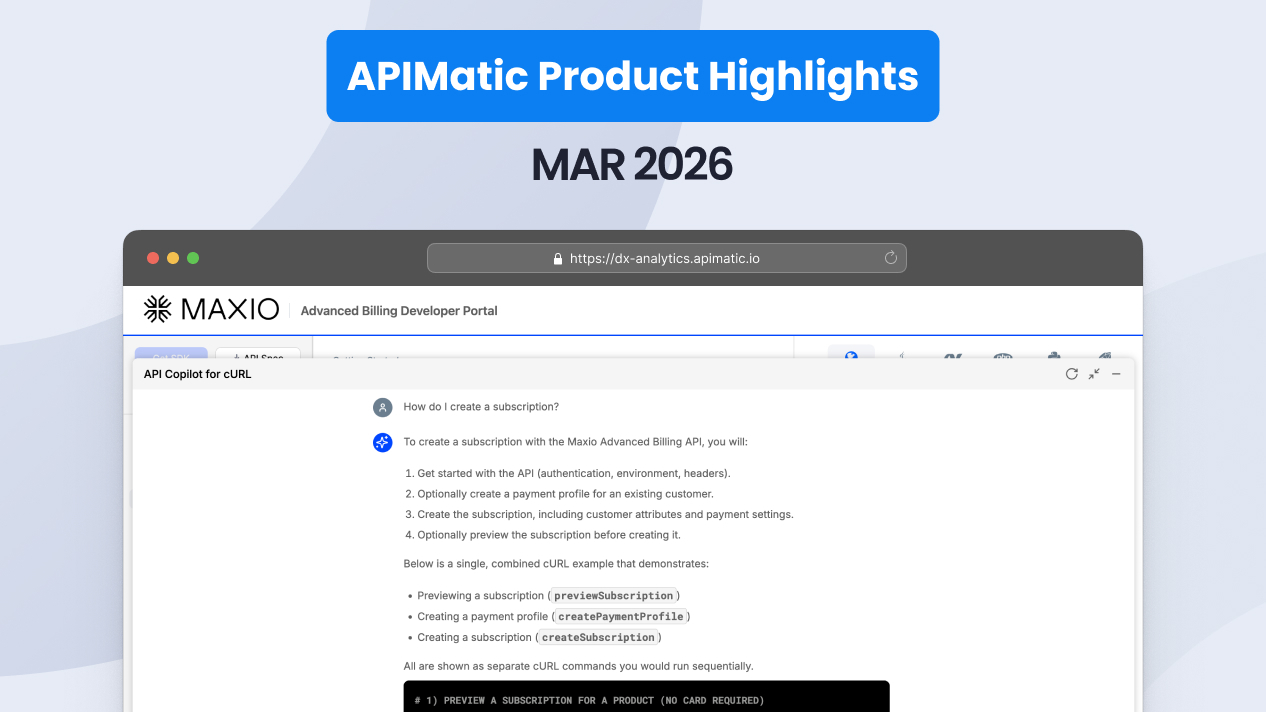



API Copilot now lives in a dedicated panel beside your docs, so developers can start integrating by asking a question. C# v4 SDKs paginate across four strategies, identify themselves on every request, and attach retry-safe idempotency keys to non-GET calls. TypeScript SDKs stream over Server-Sent Events with a familiar for await...of loop, and Context Plugins can now load your API context into Claude Code, Cursor, and VS Code, even when your SDKs are not published.
Here's everything that shipped in June 2026:
🚀 Turn your docs into a conversation with the reimagined API Copilot
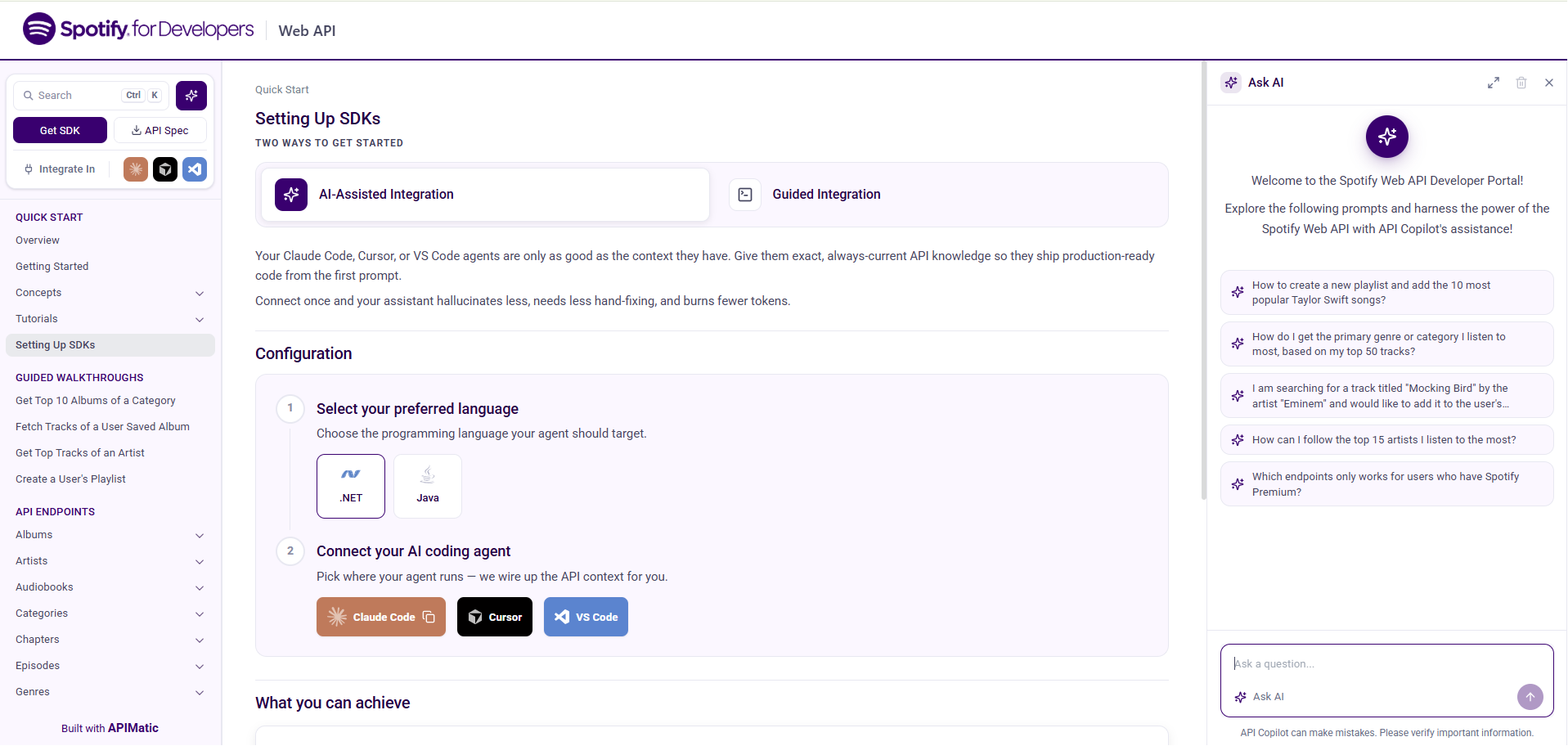
API Copilot now lives in a dedicated panel beside your documentation, and the new API Copilot Home lets developers begin an integration by asking a question instead of browsing pages. The assistant is built into your developer portal and works against the same API context that powers your docs, so answers stay grounded in your actual endpoints, models, and code samples.
The panel sits next to your documentation rather than floating over it. Developers keep the reference open on one side and the conversation on the other, so they can ask a question, read the answer, and act on it without losing their place. For engineering leaders, that means the assistant becomes part of how developers read the docs, not a widget bolted on top of them.
Start integrating by asking, not browsing
API Copilot Home is a landing surface where a developer arrives and starts a conversation. Rather than scanning the sidebar to find the right endpoint, they describe what they want to build and let the assistant point them to the right calls, parameters, and sample code. This shortens the path from "I have your API open" to "I have working code," and it fits the way developers increasingly expect to work with an AI assistant at their side.
An assistant that reads your API, not the open web:
- Answers grounded in your API. The assistant draws on your documentation, models, and code samples, so responses reflect your real surface area.
- A dedicated workspace. The panel stays open beside your docs, keeping reference and conversation in one view.
- A faster first step. API Copilot Home turns a blank-page start into a guided one, so developers reach working code sooner.
- Built into your portal. No extra tool to install; it ships as part of the developer experience you already publish.
See the reimagined API Copilot
🚀 More capable C# v4 SDKs: pagination, self-identifying calls, and idempotency
Generated C# v4 SDKs (Beta) now paginate across four common strategies, identify themselves on every request, and attach retry-safe idempotency keys to non-GET calls, alongside a round of improvements to streaming, dependency injection, error handling, and file handling.
Consume any paginated endpoint the same way
C# v4 SDKs support pagination across the four widely used strategies: Offset, Page, Cursor, and Link-based. Whatever mechanism an API uses under the hood, developers consume the results through one unified pattern, so iterating a paginated endpoint feels the same regardless of how the server implements it.
Every call identifies itself, and writes are retry-safe
Generated C# v4 SDKs now identify themselves on every API call with a short User-Agent plus a set of structured X-APIMatic-* headers. That gives API providers clear visibility into which SDK and version is making each request. Non-GET requests automatically include a retry-safe Idempotency-Key, so a client can safely retry a write without risking a duplicate operation, with no extra work from the developer.
A stronger core across the SDK
The June update extended C# v4 across several areas at once:
- Streaming. Improved handling for streaming responses.
- Dependency injection. Cleaner integration with DI containers.
- Error handling. More precise, actionable error surfaces.
- File handling. Better support for file upload and download flows.
- Documentation. Clearer in-SDK reference material.
See the changelogs:
🚀 Stream API responses in TypeScript with a familiar async loop
Generated TypeScript SDKs now handle streaming API responses over Server-Sent Events (SSE). Operations that stream results expose them as a typed, async-iterable stream you consume with a standard for await...of loop, so you work with streamed data using patterns you already know.
Streaming responses arrive as typed values, so you keep full type safety while iterating incrementally. There's no manual parsing of the event stream and no custom buffering logic; the SDK hands you an async iterable and you loop over it. For use cases like token-by-token AI responses or long-running server events, developers get results as they arrive rather than waiting for a complete payload.
Streaming that behaves like the rest of your TypeScript SDK:
- Familiar pattern. Consume streams with the
for await...ofloop developers already use. - Full type safety. Streamed values arrive typed, not as raw text to parse.
- Incremental results. Handle data as it streams in, ideal for AI responses and live server events.
See the SSE streaming in TypeScript SDKs
🛠 Minor improvements
Load your full API context into AI coding tools with Context Plugins. Developers can now load complete API context, including documentation, SDKs, code samples, and setup instructions, into AI coding environments like Claude Code, Cursor, and VS Code in a single step from your developer portal. The AI agent works with your real API surface, so the code it writes reflects your endpoints, models, and conventions. See the Context Plugins in AI coding tools documentation.
Offer AI-assisted integration for private SDKs with self-hosted SDK support. Context Plugins now support self-hosted SDKs, so organizations with private SDKs can offer the same AI-assisted integration experience. The AI agent downloads the SDK package directly from your portal and installs it locally in the developer's workspace, which extends Context Plugins to internal APIs and private environments that don't distribute through public package managers. See the self-hosted SDK support documentation.
Idiomatic code samples for models, enums, and errors. Model reference documentation now displays idiomatic, language-specific code samples complete with imports, covering initialization, enum references, and error handling across all seven SDK languages. Developers reading your model docs see real, copy-ready code in their language of choice, so they can go straight from the reference to working code. See the idiomatic code samples documentation.